SOURCE-CHECKED · BUSINESS DOCUMENTS
Export Confluence pages without handing over broken links
Export Confluence Cloud pages, keep HTML attachments intact, and find missing files, broken anchors, and online-only links with a downloadable offline inspector.
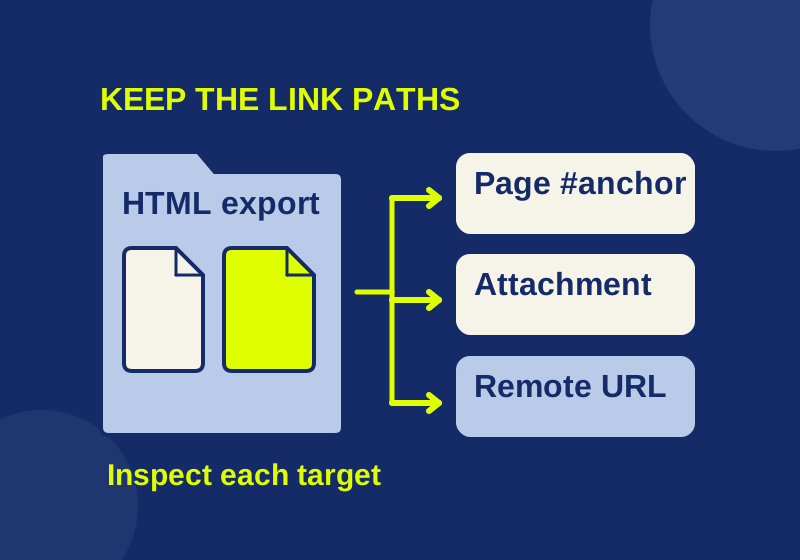
To give someone outside Confluence a usable set of procedure pages, export the published pages, keep the HTML folder intact, and check where its links point before sending it. A file can be present in the export while a link still points to a missing heading, a page you did not export, or a Confluence URL the recipient cannot open.
Choose the export
For a single page, Confluence Cloud offers More actions > Export > Word or PDF. Atlassian says the Word export is compatible only with Microsoft Word. These formats give the recipient one document to review, but you should still inspect any links and content the procedure depends on.
For a set of connected pages, an HTML space export gives you files and folders you can inspect together. A space admin can go to More actions > Space settings > General > Export space, choose advanced HTML, select the pages, and export the space. Keep the extracted folder structure: attachments in an HTML export are stored under download/attachments/pageID, so moving a page or attachment alone can break a relative path. HTML exports omit blogs and page comments. An organization may also block exports. If the export option is unavailable, ask an administrator about the restriction. Atlassian’s export instructions
An export uses the published version of a page; unpublished edits are not included. Check that the procedure you intend to hand over has been published before exporting it. Attachments need a separate version check when a particular file revision matters. A person who can view the content can download its attachments through Show details > Attachments, including available previous versions. Download All applies to one page’s attachments. Atlassian’s uploaded-file instructions
Extract the whole folder, then check links
Start by extracting the HTML ZIP into a named folder. Leave its pages and download/attachments directories in their relative positions. The link download/attachments/123/budget%20sheet.csv, for example, refers to a file named budget sheet.csv in that attachment folder. The %20 encodes the space in the filename.
A Python script that uses the standard library, inspect-export.py, can inventory links in an authorized HTML package. Read the usage and limits, download it alongside the HTML ZIP, extract the ZIP into a folder named confluence-export, and run this command from their parent directory:
python inspect-export.py confluence "confluence-export" "confluence-report"The command requires Python 3. On Windows, py -3 can replace python when the Python launcher is installed. Use an existing input directory and a new, separate report directory. The script rejects an existing output directory or one placed inside the input directory; it leaves the input unchanged.
The report contains links.csv, with page, element, reference, target, and status columns, plus summary.json. The script reads UTF-8 HTML with Python’s HTMLParser. It does not execute HTML or JavaScript or fetch anything from the network. Formula-like CSV cell values receive a leading apostrophe so they can be inspected in a spreadsheet. If you want to see the example results without running Python, download the sample report ZIP.
What the example report finds
The provided synthetic HTML package contains two handmade pages and eight references. These files were made for the demonstration and were not exported from Confluence.
| Reference and result | What to do before distribution |
|---|---|
child.html#finish : local-present |
Keep the linked page and its relative path together. |
download/attachments/123/budget%20sheet.csv : local-present |
Keep that attachment folder and the actual budget sheet.csv file in the package. |
logo.svg : local-present |
Keep the image at the referenced relative location. |
child.html#gone : missing HTML anchor |
Open child.html and find the intended heading or anchor. Correct the link, or include the right published page and export again. Adding a file with the same name will not create the missing anchor. |
download/attachments/123/missing.pdf : missing local file |
Obtain the intended authorized file and place it at the correct relative path, or correct the link to the file you are distributing. |
https://example.invalid/wiki/procedure : remote, not fetched |
Determine whether the recipient has authorized access. If the procedure must work offline, provide an approved local copy and edit the distributable link, or state that this step depends on an online page. |
../outside.txt : outside the export root |
Put the intended file inside the packet and correct the relative link so it stays within that folder. |
A javascript: URL : special scheme for review |
Review the source manually. Do not execute it as a link check or assume it will work in the recipient’s copy. |
A “local present” status establishes that the referenced file or HTML anchor was found by this static check. It does not establish that the page renders correctly, that the recipient has rights to every linked resource, or that the selected pages contain the complete procedure.
The script checks static a href, common src, and link href references. It flags a page with a base href for base-URL review; it does not silently resolve the whole page against that base. JavaScript-created links, CSS URLs, srcset, and fragments in non-HTML files need manual review. The script does not rewrite links or download missing material.
Check a package without Python
You can perform a smaller check with a file manager and text editor. Extract the entire HTML package first. In each procedure page, inspect the links to the next step, forms, downloads, and images. For a relative file link, follow its path from the page’s location and confirm the target exists inside the folder you will send. For a #fragment link to an HTML page, check for the matching destination in that page; finding the HTML file alone is insufficient. Review Confluence and other web URLs as online dependencies that may require recipient access.
Then open the exported pages as the recipient would and follow the important procedure paths. Check wide tables, macros, and embedded content against the published source where those details carry instructions. This walkthrough is also the time to notice a source link that opens a login page instead of a distributable instruction.
Sending a Confluence URL does not itself grant access. Inviting an external person to the product is a separate access decision and can affect billing. If you send local copies instead, a later Confluence access change does not revoke those copies. Decide which material is authorized for distribution before including it. Atlassian’s sharing guidance
Source note: Atlassian’s linked instructions were checked October 7, 2026. The eight-reference result comes from a local test of the synthetic package only; it is not an authenticated Confluence export or a recipient access trial.
KEEP GOING
More to explore.
SOURCE-CHECKEDBusiness documents
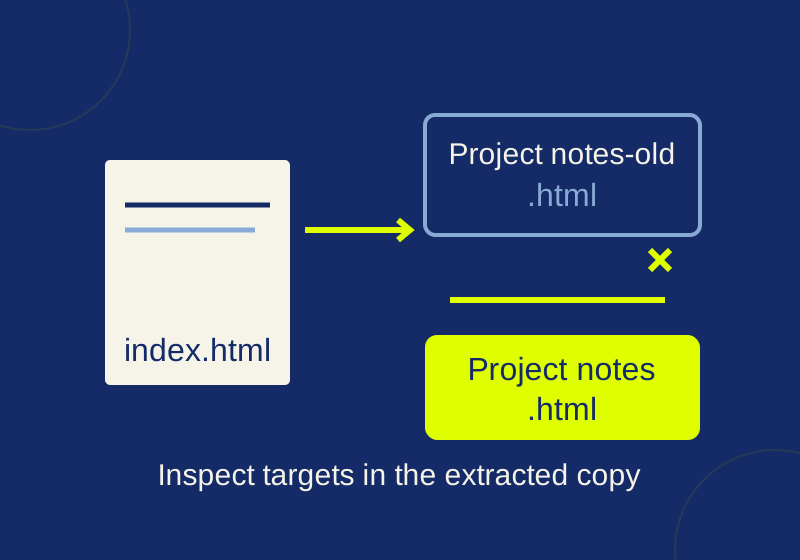
How to check a Notion workspace export for broken links
Run a local link check, read two real missing-file examples, and spot what a clean report can still miss.
SOURCE-CHECKEDBusiness documents
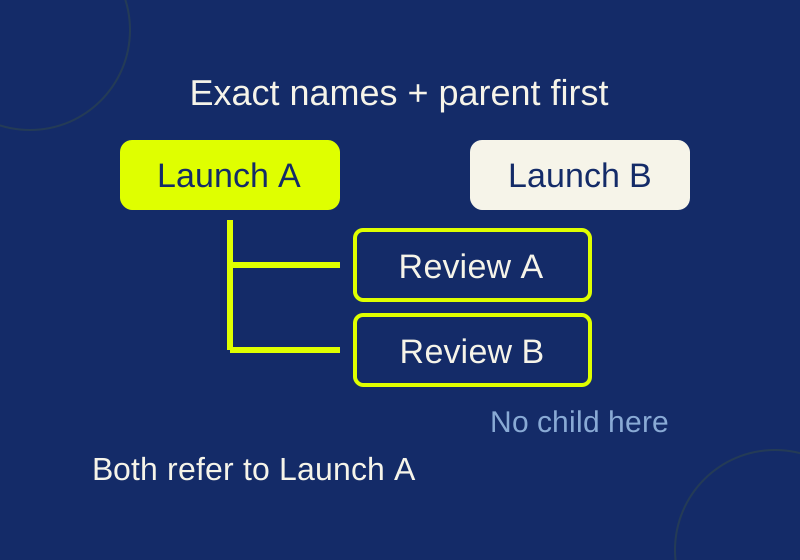
Asana CSV subtasks: fix duplicate parent names before import
See exactly how repeated parent names and CSV row order change subtask relationships, then try the local checker.