SOURCE-CHECKED · BUSINESS DOCUMENTS
How to check a Notion workspace export for broken links
Find broken links in a Notion export with a free offline checker, downloadable practice archive, and clear fixes for missing files.
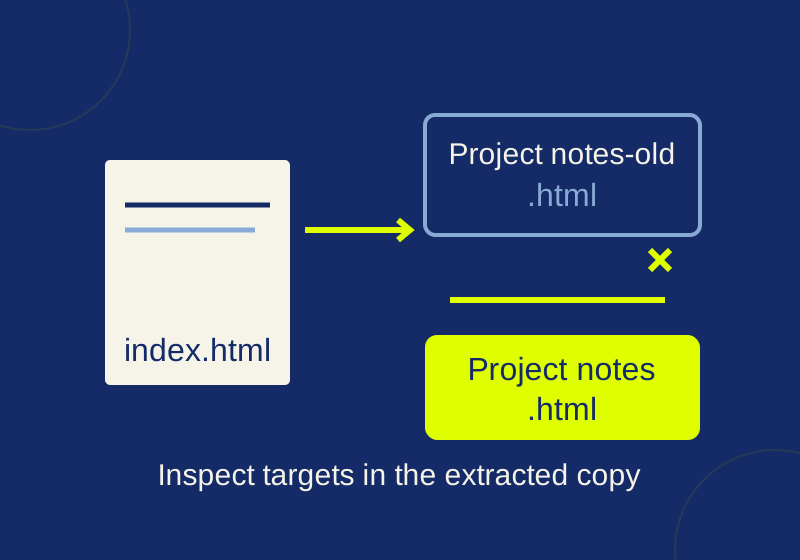
Keep the original Notion export ZIP untouched. Extract a copy, find index.html, and check whether its links point to files that are actually in the archive. Then compare the exported pages with a list of pages you expected to save. A link check can catch missing local targets; it cannot tell you whether an entire page was omitted.
The Notion archive link practice kit includes an offline checker and two small example archives. You can use it to learn what a broken report looks like before scanning your own extracted copy.
Start with the export and its index
On Notion desktop or web, the workspace export is under Settings > Workspace > General > Export all workspace content. Notion offers HTML or Markdown, with databases exported as CSV and uploaded files included. Its export instructions say an export can take up to 30 hours and the download link expires after seven days.
After downloading the ZIP, preserve it as your original. Extract another copy for inspection and locate index.html. Notion describes that file as a sitemap with local links to exported HTML or Markdown pages in its backup instructions. Open it to see what the export lists, then check whether those links resolve inside the extracted folder.
If extraction fails on Windows because the archive has deeply nested paths, Notion suggests exporting again with Create folders for subpages unchecked or trying 7-Zip. Finish extracting the copy before judging links as missing.
Try the checker on known examples
The practice kit contains archive-links.py, a README, and hand-created examples/broken and examples/working folders. These are synthetic archives, not exports from a Notion account. The script requires Python 3.9 or later and uses only the standard library.
From the extracted practice kit folder, run:
python archive-links.py examples/broken > broken-report.json
python archive-links.py examples/working > working-report.json
The shell creates the JSON report files in the kit folder, outside the example folders being scanned. The checker reads the input and does not edit it. In the recorded local run with Python 3.12.14, the results were:
| Example | Files | References scanned | Existing targets | Missing targets | Skipped external or scheme links | Same-page anchors unchecked | Exit code |
|---|---|---|---|---|---|---|---|
| Broken | 5 | 9 | 5 | 2 | 1 | 1 | 1 |
| Working | 5 | 9 | 7 | 0 | 1 | 1 | 0 |
“Existing targets” counts references, not distinct files. The working example still has five files: correcting two links brings the number of existing local references to seven. All scanned input files retained their original SHA hashes during the recorded runs. An exit code of 2 indicates a scan failure rather than the broken example’s reported missing targets.
Read the two missing targets
The broken example’s index.html points to Projects/Project%20notes-old.html and Assets/chart-missing.svg. Neither target exists under those names. The extracted example does contain Projects/Project notes.html and Assets/chart.svg. The first missing reference appears in JSON as:
{
  "source": "index.html",
  "kind": "href",
  "reference": "Projects/Project%20notes-old.html",
  "target": "Projects/Project notes-old.html",
  "status": "missing"
}
source names the file containing the link. target is the decoded path the checker looked for. Inspect that path before changing anything.
The first link contains %20, which represents the space in a filename; its problem is the extra -old, not the encoding. The second points to a different SVG name. The working example fixes those two references in index.html.
For your own archive, first confirm that the available file is the page or asset the link was meant to reach. Then repair the reference in the extracted copy, using a path relative to the file containing the link. For this example’s index, the corrected targets would be Projects/Project%20notes.html and Assets/chart.svg. Keep the original ZIP so you can compare or start over if a proposed match is wrong. Renaming a file solely to silence a finding can hide a link that was meant for different content.
The checker decodes percent-encoded spaces, resolves a relative target from the linking page’s folder, removes a URL query before checking the file, and decodes HTML attribute text such as &. For example, tasks.csv?download=1&sample=1 checks the file tasks.csv; the query string is not part of its name.
Scan your extracted archive
Put your own extracted copy in a directory you trust, such as C:/ArchiveCopy. From the practice kit folder, run:
python archive-links.py "C:/ArchiveCopy" > report.jsonThat places report.json beside the checker, outside C:/ArchiveCopy. You can also direct it to an existing separate folder, such as C:/Audit/report.json. Do not put the report inside the folder being scanned: the shell writes the redirected output, and keeping it separate makes the scan’s input clear.
The checker writes JSON to standard output. It reads href and src attributes from UTF-8 HTML and supports simple inline Markdown links. It ignores ordinary inline code and backtick-fenced blocks. It inventories CSV files and assets by size and SHA hash, but it does not assess what their contents mean. It does not implement the full Markdown grammar, including reference links or links with nested parentheses.
Use it on your own trusted extracted export. It skips symlinks and is not hardened as a security boundary for hostile input containing Windows junctions or unusual reparse points.
Separate missing files from unsupported links
A report of a missing local target gives you a concrete path to investigate. Other findings call for different handling:
- A same-page
#fragmentis unchecked. A successful scan does not establish that the heading or anchor exists. - Remote addresses and schemes such as
http,mailto,javascript, anddataare skipped. A skip says nothing about whether an external destination works. - A protocol-relative URL is skipped. An HTML page with a
<base>element is flagged, and links from that page are not resolved. - Paths that leave the scanned root, including
../outside.txtand encoded%2E%2E/outside.txt, are flagged. Root-relative paths, backslashes, NUL paths, and an absolute path such as/absolute.txtare not guessed into local targets.
An exit code of 0 means the checker found no reported local-link problems within its supported scan. Omitted pages need a separate comparison with the source workspace.
Compare pages with the source workspace
Before relying on the archive, make a short list of important source pages and look for each one in the extracted files and index. For a fictional example, suppose your expected list contains “Project notes,” “Review sources,” and “Draft brief.” A clean link report would only show that the local links it examined resolve. If “Draft brief” is absent from both the index and exported files, the checker has no link to follow and cannot detect that omission. Investigate that page in the source workspace and the export settings.
Notion says inaccessible private pages are excluded, and teamspace settings can exclude content. Its export instructions also say exporting all database views at once is unsupported; the current or default view is exported. If a CSV contains task rows such as Draft brief,Done and Review sources,Open, reading those rows can confirm they appear in that file. It cannot establish that every view, formula, permission, or item from the source workspace was preserved.
For a large export that errors, Notion suggests exporting smaller batches of top-level pages with Include subpages. Track which source page each batch covers so that a page absent from one ZIP is not mistaken for a broken link. Notion says reuploading the export cannot instantly recreate the workspace. Keep source access while you investigate missing pages or a migration that requires working database behavior.
Source note: The linked Notion help pages were checked October 7, 2026. The original checker and synthetic fixtures were run locally with Python 3.12.14; no Notion account export was independently tested.
KEEP GOING
More to explore.
SOURCE-CHECKEDBusiness documents
Export Confluence pages without handing over broken links
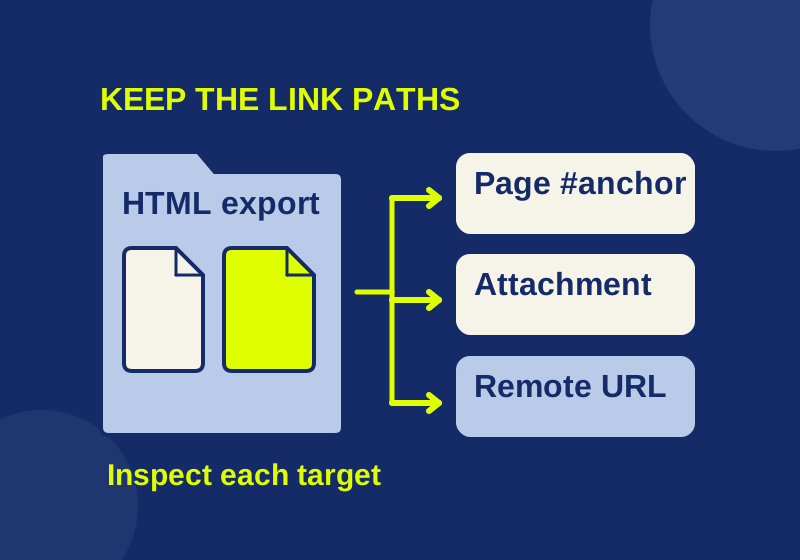
Find broken links in an exported Confluence HTML package and repair the parts your recipient needs.
SOURCE-CHECKEDBusiness documents
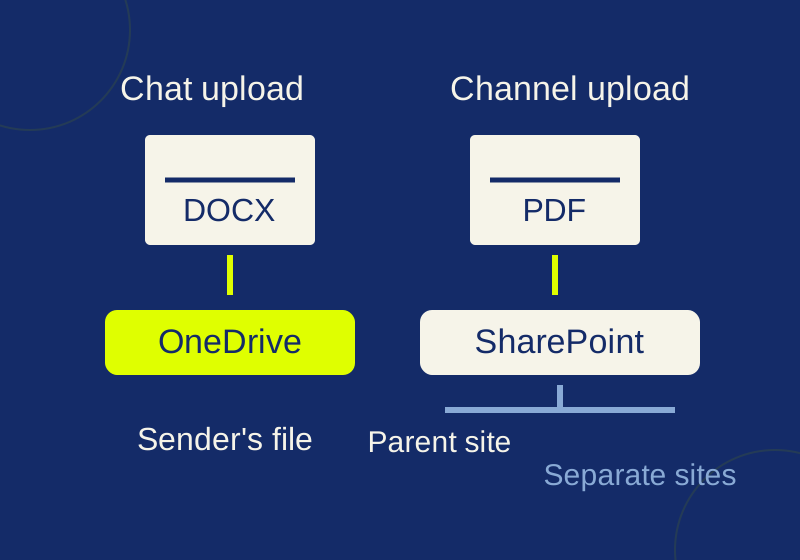
Where Teams files live: chat attachments, channel files, and broken links
Trace a Teams attachment to its storage location and fix the intended handoff link.