SOURCE-CHECKED · BUSINESS DOCUMENTS
Where Teams files live: chat attachments, channel files, and broken links
Find the actual OneDrive or SharePoint file behind a Teams message, then diagnose wrong copies and recipient access.
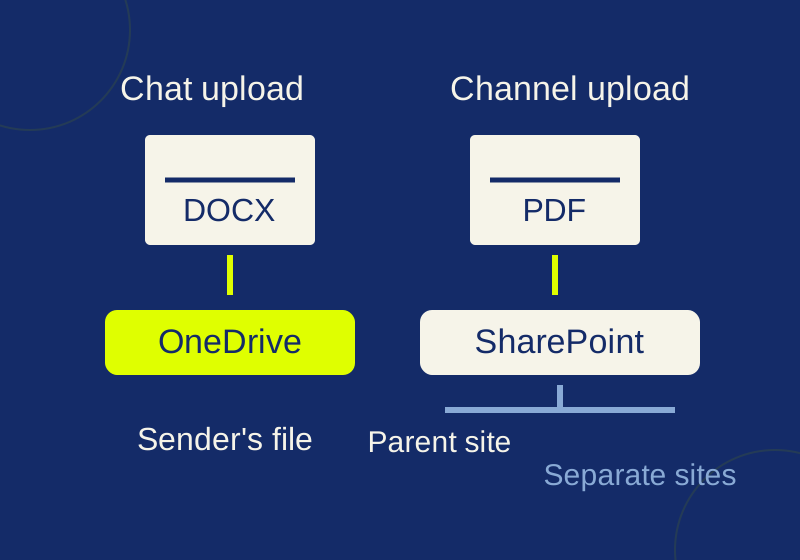
A file uploaded to a Teams chat is stored in the sender’s work OneDrive and shared with chat participants. A file uploaded to a channel is stored in SharePoint. When a colleague can open the report and a client cannot, identify the file and its storage location before resending the link. Two files can have the same name and different content. Microsoft: file storage in Teams
Chat and channel files have different homes
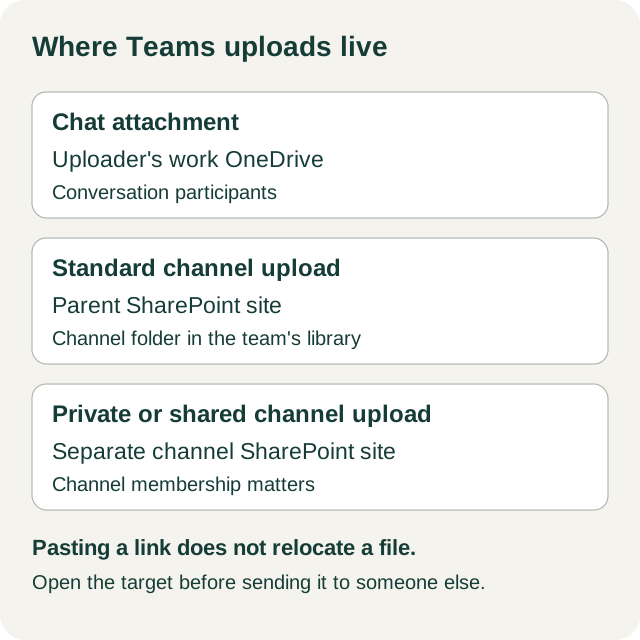
The OneDrive area in Teams uses your work or school account, not a personal OneDrive account. A chat upload belongs to the sender’s OneDrive for Business storage. Channel uploads belong to the team’s SharePoint storage. Microsoft: file storage in Teams
Channel type also matters. Standard channels use folders in the team’s parent SharePoint site. Private and shared channels each have a separate channel site. Membership in the parent team does not, by itself, give someone access to a private or shared channel. Microsoft: Teams-connected sites
A link pasted into a channel does not turn its target into a channel file. If the link points to a chat draft in OneDrive, that is still the file the recipient is being asked to open. Treat where the link was posted and where its target is stored as two separate facts.
Find the file behind the message
In a channel’s Shared tab, In Post can include shared links as well as files. In library is the useful view when you need to identify what is in the channel’s file storage. If a report appears in a post but not in the library, follow the post’s link and identify its target before calling it a channel file. Microsoft: share files in Teams
For example, suppose an analyst uploaded Campaign Draft.docx to a chat. A SharePoint library also contains a file named Campaign Draft.docx. Compare the content, version or date information available to you, and storage location for one specific item. The two names may refer to different reports. Record the URL of the item you actually intend to send; do not reconstruct a link from its filename.
Make the approved file the handoff
Keep the draft and the deliverable distinct. In this example, Campaign Draft.docx is the working document, while Approved.pdf is the finished report in the project’s SharePoint library. Once the intended library file has been identified, use that file’s link in the handoff. Choosing a different destination means choosing the intended link and checking its permissions independently; do not assume an earlier link or access setting follows the new file.
An internal message can be direct:
The approved report is Approved.pdf in the project library: [link to that file]. The chat DOCX is the working draft.
For an external delivery, make the intended recipient and version explicit:
Please open Approved.pdf, version 3, at [link to that file]. Can you confirm that this is the report you can open?
These example messages keep the two files distinguishable. Keep the draft if it remains useful; resolving a link mix-up does not require deleting it.
Match the link to the recipient
For a work or school file, Microsoft documents sharing from OneDrive in Teams > My files > Share, followed by link settings, recipient, and permission choices. Those choices deserve attention before a client receives the URL. Microsoft: share files in Teams
A People with existing access link adds no permission. People you choose restricts that link to named recipients, though someone with a separate existing permission may still open the file. An organization link excludes an outsider. Can edit permits changes. Can review applies only to Word files, and an existing edit permission can still let that person edit. The availability of an Anyone link depends on administrator settings; it is not a general fix for a denied client. Microsoft: SharePoint sharing options
If the file is in a shared channel, take particular care with an external recipient who is not a channel member. Microsoft says file sharing with external nonmembers of a shared channel is unsupported. General SharePoint link advice does not remove that channel-specific constraint. Microsoft: Teams-connected sites
If a colleague opens it but a client cannot
Ask the client for the exact URL, the account they used, and the error they saw. Compare that identity with the intended recipient and the link setting. An organization-only link, for example, is a specific explanation to check when an internal colleague succeeds and an outside client is denied. Do not change permissions based only on the fact that one person could open the file. Microsoft: SharePoint sharing options
A reader can report the URL, account, and error. An authorized file owner can inspect sharing and access. If tenant policy appears to be involved, an administrator can evaluate that policy. This keeps the diagnosis tied to the intended recipient instead of granting wider access merely to clear an error.
If the name is right but the report is wrong
Return to the two Campaign Draft.docx files. Ask which item’s content is approved, where that item lives, and which URL was sent. If the URL reaches the chat draft while the approved report is in the library, resend the approved item’s link and name it clearly. A filename, chat message, or channel post is evidence of what someone discussed; the link target identifies what the recipient will open.
For an ongoing handoff, also ask who will be able to manage access to the intended file later. That is a practical ownership question, not a promise about what happens when an employee leaves or how long any file remains available.
If someone can still edit
A restrictive new link does not necessarily cancel an older route to the file. Access may come through another link, direct permission, or inherited permission. Microsoft’s Manage access guidance describes those routes; removing one sharing link does not erase every other path. Have an authorized owner inspect the file’s permissions before making changes, and avoid removing broad team membership to solve one person’s edit access. Microsoft: manage sharing and permissions
A disappearing chat or channel message is a separate issue from access to its file. Teams message retention and OneDrive or SharePoint file retention are governed separately; a retained compliance copy of a message is not an ordinary place for a reader to browse for a missing report. Microsoft: retention policies
Keep a private record of the link you chose
The blank Teams file location log gives you one row for a document’s purpose, filename, storage service, chat or channel type, owner or site, canonical file URL, intended recipient, required permission, permission path, recipient’s open result, and next action. It is a private worksheet for tracing a handoff, not a Microsoft export. Do not publish a filled copy containing your organization’s file URLs.
The storage and sharing instructions follow the linked Microsoft documentation. The campaign workflow is illustrative; no client account or recipient access was tested.
KEEP GOING
More to explore.
SOURCE-CHECKEDBusiness documents
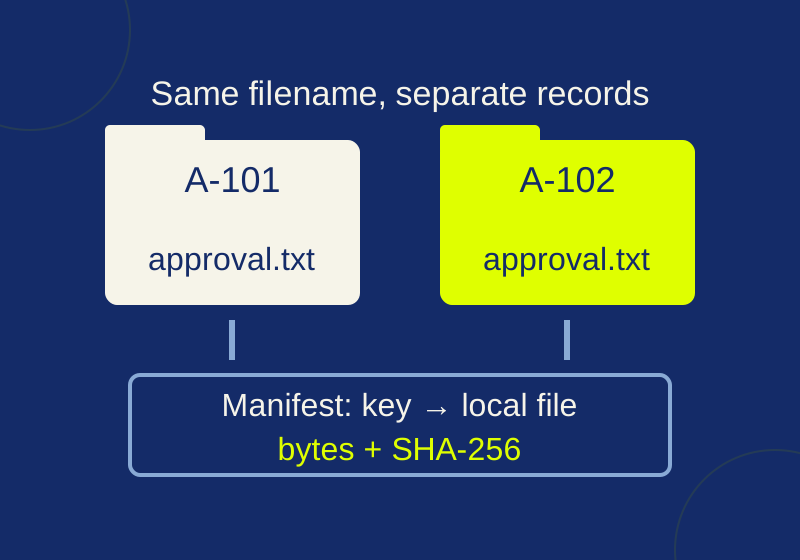
Airtable CSV attachments: save the files before links expire
Save Airtable attachment bytes and check duplicate filenames, missing files and changed contents with the local practice kit.
SOURCE-CHECKEDBusiness documents
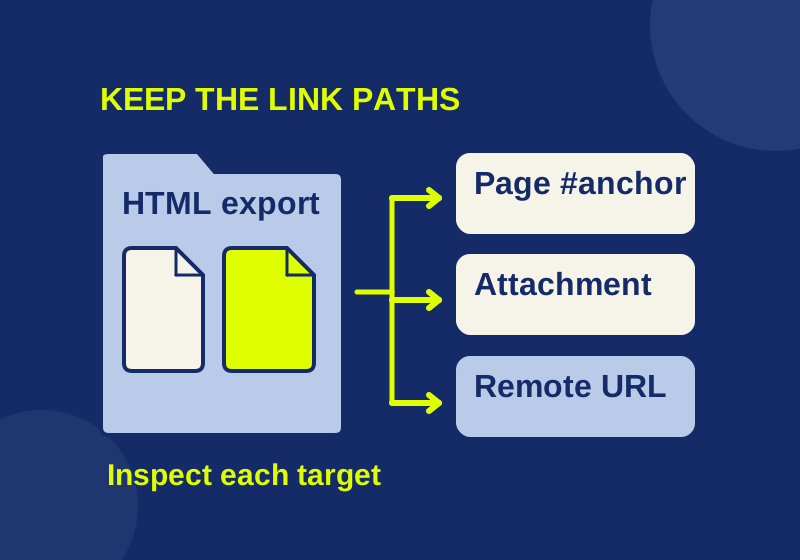
Export Confluence pages without handing over broken links
Find broken links in an exported Confluence HTML package and repair the parts your recipient needs.