SOURCE-CHECKED · EVERYDAY TECH
Windows Live captions: caption PC audio and check the microphone source
Turn on Windows Live captions, compare a short English recording with its printed passage, and distinguish PC audio from microphone input.
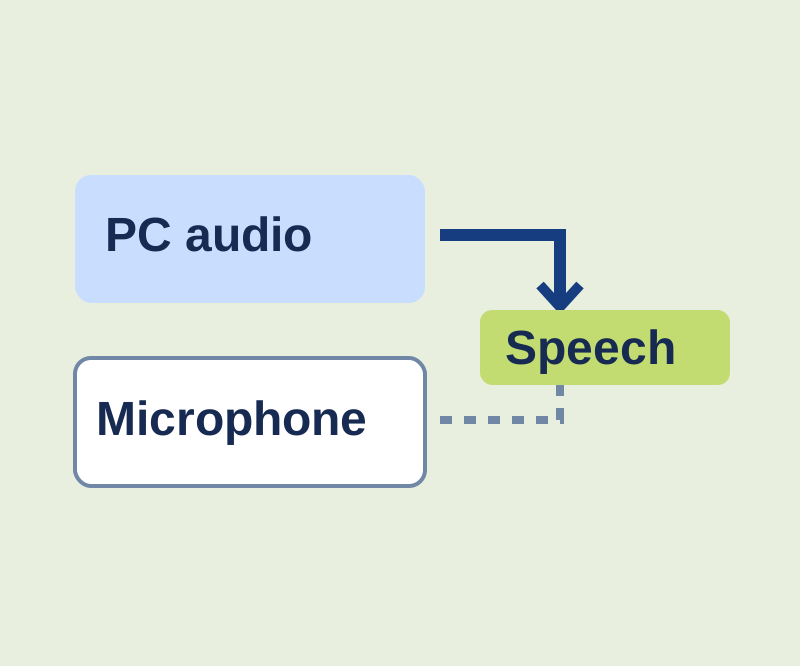
Windows 11 Live captions can show speech from audio playing on your PC. To see how the captions handle a short passage, open the speech practice player. It prints the passage it speaks, so you have text to compare with the captions.
Turn on captions
Live captions is available on Windows 11 version 22H2 and later. Press Windows + Ctrl + L, or go to Settings > Accessibility > Captions. On first use, follow the consent prompt and download the language files. English (United States) is supported. After setup, Microsoft says captions are generated on the device, work offline, and are not stored.
If you need to change the caption language, open Live captions Settings > Change language, select a language, and continue with any required download. On Windows 11 version 23H2 or earlier, the controls instead use Caption language > Add a language and an Enhanced speech recognition download. You can place captions above or below the screen with space reserved for them, or move the floating overlay.
Compare a spoken passage
Leave Settings > Preferences > Include microphone audio off, as it is by default. In the practice player, choose Play passage once to hear this synthetic English recording:
The blue folder contains twelve postcards. The meeting starts at fourteen thirty. Please bring the green notebook.
Compare the captioned meaning and numbers with the printed passage. Digits and punctuation may appear differently. Use Stop and rewind to return to the beginning for another comparison. You can also download the WAV and read its transcript. The recording lasts 6.7 seconds. If browser playback fails, open the downloaded WAV in a compatible audio player. Closing the practice page stops its playback.
Check the microphone source
Stop the player, turn on Include microphone audio, and read the same passage aloud without playing other audio. Microsoft says PC audio takes priority when it and microphone speech occur together. If your own speech seems to disappear while a clip plays, that priority may explain the difference.
Live captions targets speech, so do not use applause, music, or song lyrics as a dependable check. Microsoft also notes that resource-intensive apps can delay or drop captions and suggests closing unused apps. Caption translation is a separate feature for Copilot+ PCs running Windows 11 version 24H2 or later.
Source note: Microsoft’s Live captions guide was checked October 11, 2026 KST. The synthetic practice recording and browser player were checked; Windows caption accuracy and translation were not tested. Microsoft’s caption storage statement does not describe a meeting app’s separate recording or privacy behavior.
KEEP GOING
More to explore.
SOURCE-CHECKEDEveryday tech
Windows 11 emoji panel and symbols: shortcuts, Alt codes, and copyable examples
Type emoji, degree signs, bullets, and other symbols. Includes a copyable bank and an offline inspector for invisible selectors and joined emoji.
SOURCE-CHECKEDEveryday tech
Copy text from an image on Windows with PowerToys Text Extractor
Extract image text, then check the characters that change its meaning.