SOURCE-CHECKED · EVERYDAY TECH
Windows 11 emoji panel and symbols: shortcuts, Alt codes, and copyable examples
Open the Windows emoji panel, type symbols without a number pad, and inspect 28 copyable examples to understand unexpected character counts.
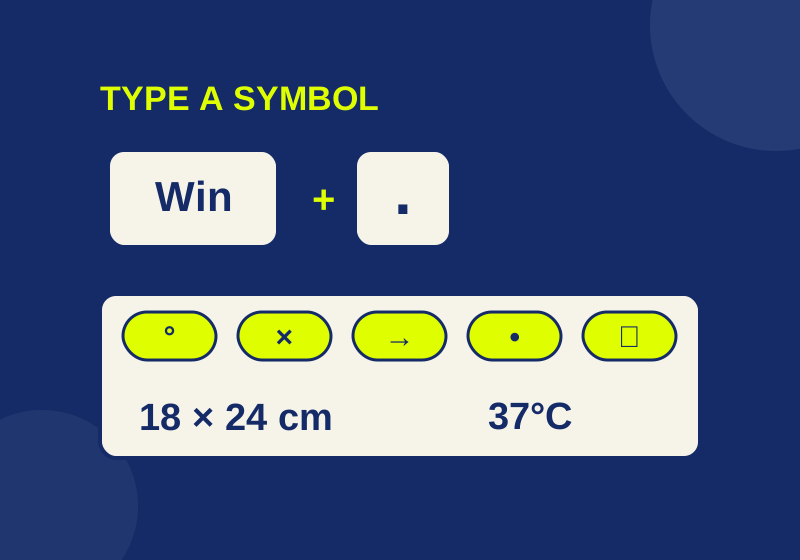
Press Windows + period (.) while typing to open the Windows 11 emoji panel. You can choose a character there or type a search term. Open the Symbols category when you need a degree sign, arrow, bullet, or other symbol.
Insert a character
- Click where you want the character to appear.
- Press Windows + period (.).
- Choose a character, search for one, or open Symbols.
The panel also offers GIFs and kaomoji. If you need plain text, for example, a symbol in a document title, check what appears in the destination after inserting it. An image or GIF is not guaranteed to paste as text.
Here are 12 characters you can copy directly:
| Character | Example use |
|---|---|
| ° | 37°C |
| × | 18 × 24 cm |
| → | Settings → Display |
| • | A text bullet |
| © | A copyright symbol |
| ® | A registered trademark symbol |
| ™ | A trademark symbol |
| ✓ | A check mark |
| ☐ | An empty box symbol |
| § | A section symbol |
| ¶ | A paragraph symbol |
| ± | 20 ± 2 |
A ☐ is a text character. Clicking it will not toggle a checkbox in an ordinary text field. Use an app’s checkbox control when you need an interactive item.
For more choices, the offline symbol bank and inspector contains 28 copyable examples. Its Select button selects a character in a read-only field; press Ctrl + C to copy it. You can also download the 28-row symbol CSV. These are copy sources, not a claim that every listed character appears in the Windows panel.
Use a numeric keypad for Alt codes
Microsoft documents another input method for certain symbols: hold Alt, type a four-digit code on the numeric keypad, including its leading zero, then release Alt. The number keys across the top of a keyboard do not work for this method.
| Symbol | Alt code |
|---|---|
| © | 0169 |
| ® | 0174 |
| ™ | 0153 |
| • | 0149 |
| § | 0167 |
| ¶ | 0182 |
Use the panel or copy a character if your keyboard has no usable numeric keypad. Check the result in the app where you need it; the source does not establish that Alt codes work in every app.
Use a symbol in a line that still makes sense
For a size label, compare these strings:
18 x 24 cm
18 × 24 cm
The first uses the letter x; the second uses multiplication sign U+00D7. Their meaning may be clear in context, but their text is different. Choose the actual symbol when you need consistent labeling across a document, then keep the unit beside the dimensions. Do not change letters inside names or identifiers merely because they resemble a multiplication sign.
For a status note, write Complete ✓ instead of leaving the check mark to carry the entire message. Similarly, ☐ Check the address describes an unfinished task even if the recipient’s font makes the square hard to see. These are ordinary text lines you can edit and reuse, not form controls.
When copying a symbol from the bank, select its input field and press Ctrl+C. The inspector also receives that exact string, so you can compare it with the version already in your document. The page does not silently copy on your behalf.
Why one visible symbol can have several counts
A character counter may be counting Unicode code points, UTF-16 code units, or graphemes, the units a reader generally perceives as individual characters. Those totals can differ for the same pasted text.
Consider a heart. Plain ♥ has one code point, one UTF-16 code unit, and one grapheme. Adding the invisible text-presentation selector makes ♥︎ two code points and two code units, but still one grapheme. Adding the emoji-presentation selector instead makes ♥️ two code points and two code units, again one grapheme. Unicode identifies those selectors as U+FE0E for text presentation and U+FE0F for emoji presentation on eligible characters. The requested presentation does not promise an identical glyph in every app or on every device.
Other recorded calculations show the same distinction:
| Pasted text | Code points | UTF-16 units | Graphemes |
|---|---|---|---|
| 👍 | 1 | 2 | 1 |
| 👍🏽 | 2 | 4 | 1 |
| 👩💻 | 3 | 5 | 1 |
| 🇺🇸 | 2 | 4 | 1 |
| 1️⃣ | 3 | 3 | 1 |
The technologist emoji 👩💻 contains a zero-width joiner, U+200D, between emoji elements. Its exact sequence is:
U+1F469 U+200D U+1F4BB
The woman and computer each use two UTF-16 units, and the joiner uses one. That produces five units even though the recorded grapheme calculation treats the complete sequence as one. Select and copy the complete sequence; removing an invisible part can change what the text represents. The flag and keycap examples also show why a visible symbol need not equal one code point.
The inspector lets you paste nonprivate text to see its code points, UTF-16 length, and grapheme count. It uses Intl.Segmenter for graphemes and explicitly says when that feature is unavailable. The supplied HTML is self-contained, uses no clipboard API, network request, or persistent storage, and does not save input across reloads.
Check the problem in the destination
If the panel does not open, first put the cursor in a text field and try Windows + period (.) again. You can use the symbol bank to copy the needed text if the panel remains unavailable.
If the pasted symbol looks different, inspect the underlying code points before replacing it. A variation selector may account for a text-style versus emoji-style heart. Font coverage or rendering can also affect what you see, so compare the same pasted text in another app or font when a glyph appears missing.
If a form reports an unexpected character count, inspect the text, then test it in that form. The inspector’s three counts explain possible differences; they cannot tell you which counting rule an individual service uses. For an accented letter or any other character found through the panel’s search, verify the inserted character in the field where it matters.
Panel and Alt-code instructions, checked October 7, 2026, come from Microsoft’s Windows keyboard guidance; presentation selectors and joining behavior come from Unicode’s emoji specification. The eight count examples above are recorded Node calculations and were checked against the original inspector in a browser, not a Windows UI trial.
KEEP GOING
More to explore.
SOURCE-CHECKEDEveryday tech
Dictate text with Windows Voice Access without triggering commands
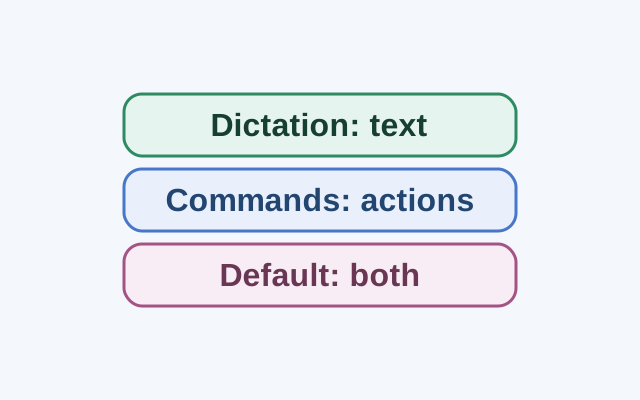
Dictation mode treats spoken input as text in an editable field. Commands mode is for actions; Default mode handles both commands and dictation.
SOURCE-CHECKEDEveryday Tech
How to use iPhone text replacement, with shortcuts you can copy
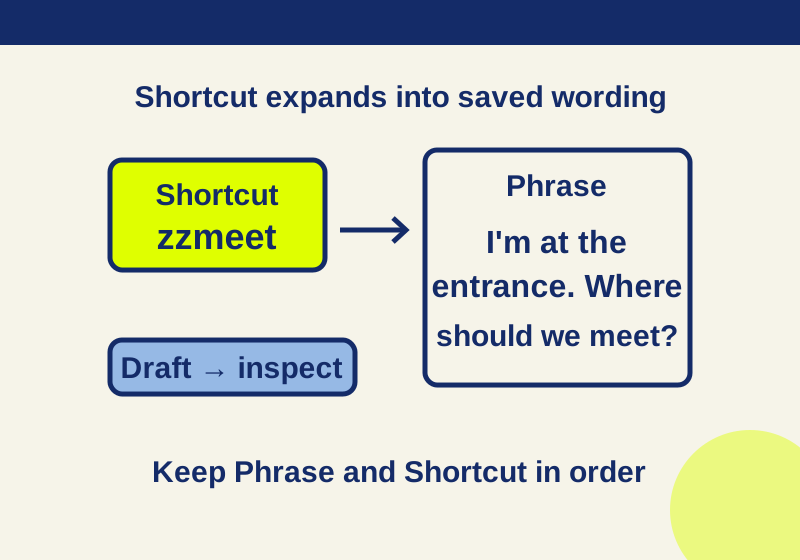
Build a useful set of saved replies, email text, and everyday requests while keeping Phrase, Shortcut, auto-correction, and dictionary reset distinct.