SOURCE-CHECKED GUIDE · SHARING WORKFLOWS
Send one WeTransfer link to a group
Upload a one-off package as a WeTransfer link transfer, then send the same link with your own message to the intended group.
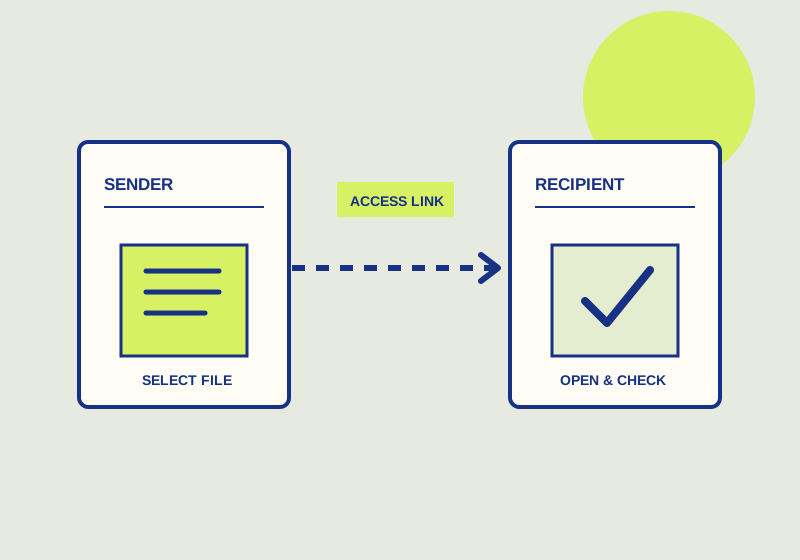
To send the same files to a group, choose a WeTransfer link transfer, upload the package, and put the returned shareable link in a message you send to the recipients. You control that message and its recipient list. WeTransfer’s email transfer is a different option: it sends email on the sender’s behalf. The official transfer guide describes these delivery paths.
Prepare the group delivery
Confirm that everyone on the list should receive the same files. A project team may need one approved presentation and its accompanying images, while clients with separate documents need separate deliveries. Check the contents and filenames before uploading. A message that says “final presentation” is less useful if the linked package contains several drafts with similar names. Keep a local record of the version you intend to distribute so you can answer questions later.
Choose the link transfer option and upload the files. When WeTransfer returns the link, place it in your own group email or project message. Give the message a clear subject or opening line, identify the package, and tell recipients what to do with it. If they need the files for a meeting, include the meeting date. If you need a reply, ask for one explicitly. The recipient message supplies the context that a bare URL cannot carry.
Check the address list before sending. Remove people who should not receive the package, and review any external addresses. A recipient can forward the link, so consider whether further distribution would be acceptable. If the material requires access limited to individually named people, a forwardable group link may not meet that requirement. Make that decision before uploading and circulating the URL.
Send checklist
- Does every recipient need the same package?
- Are the files complete and clearly named?
- Is the group address list current?
- Would forwarding the link create a problem?
- Does your message identify the package and required action?
- Have you asked for a direct reply if receipt matters?
You can put the same returned link in a message to the whole group. That is useful when you need to add instructions in your own words or keep the delivery within an existing conversation. If you choose the email transfer instead, WeTransfer sends the email on your behalf. Decide which route fits the communication record your team needs to keep.
For example, an agency delivering one approved launch-assets-final.zip to a client lead and two production partners could send one link with the package name, the agreed review date, and a request to confirm the expected files are inside. This is a group handoff only if all three may receive the identical package. If the client lead needs an additional private budget sheet, make a separate delivery for that sheet rather than placing it in the shared transfer.
Handle follow-up
Save the message you sent, including the link, recipient list, and package description. If someone reports a missing file, compare the report with the package you prepared and ask which item they expected. If they say they cannot access the link, resolve that issue with them directly instead of treating silence from the rest of the group as confirmation.
Do not treat silence as download confirmation. Ask each recipient who needs the files to confirm that the link opens and the downloaded package contains the expected version. WeTransfer’s transfer-availability guide says the expiration window depends on the sender’s plan and the date chosen at upload. Check the actual expiry displayed for this transfer and send it early enough for recipients to download and inspect it. If someone misses that window, arrange a new handoff rather than assuming the old URL will work.
Use the recipient’s report to decide what failed. If the URL no longer opens after its displayed expiry, create a new transfer and send its new link. If it opens but launch-assets-final.zip is missing or contains the wrong draft, correct the package and send a replacement; another reminder with the same URL will not fix the contents. Record a separate confirmation from each required recipient that they opened the package and found the named deliverables before treating the delivery as complete.
This guide explains a workflow using the linked primary sources. We did not independently run every step or verify the result for your files; check the current service screen and your own output.
Primary sources:
KEEP GOING
Related checks.

SOURCE-CHECKED GUIDESharing workflows
Dropbox Transfer or Box shared link for a finished deliverable
Set up a one-time deliverable handoff with the right expiry and file behavior.
SOURCE-CHECKED GUIDESharing workflows
Send a finished package with Tresorit Send
Finalize files, create a Send link, protect the Admin Link, and revoke the shared link when needed.