TESTED · EVERYDAY TECH
Why ZIP barely shrinks some photos: compare compression with two real files
Understand why ZIP size reductions vary, compare original text and JPEG archives, and package files without expecting a smaller photo or video.
ZIP can group photos into one file, but it may do little to reduce the upload size. JPEG is already highly compressed, and Microsoft says a ZIP containing several JPEGs may be about the same size as the originals. The result depends on the files, so check the finished ZIP’s size before relying on it to meet a limit.
Two files, four ZIPs
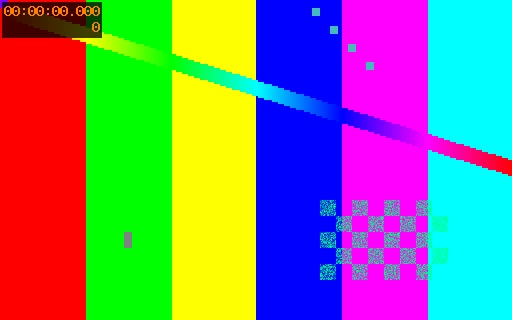
The comparison uses a repeated shopping list and a synthetic 512 × 320 JPEG pattern. The list contained the same text 1,600 times; its result is an example of compressible repetition, not a typical document ratio.
| Input | ZIP setting | ZIP size | Change |
|---|---|---|---|
| market-list.txt, 83,200 bytes | Store | 83,364 bytes | 0.20% larger |
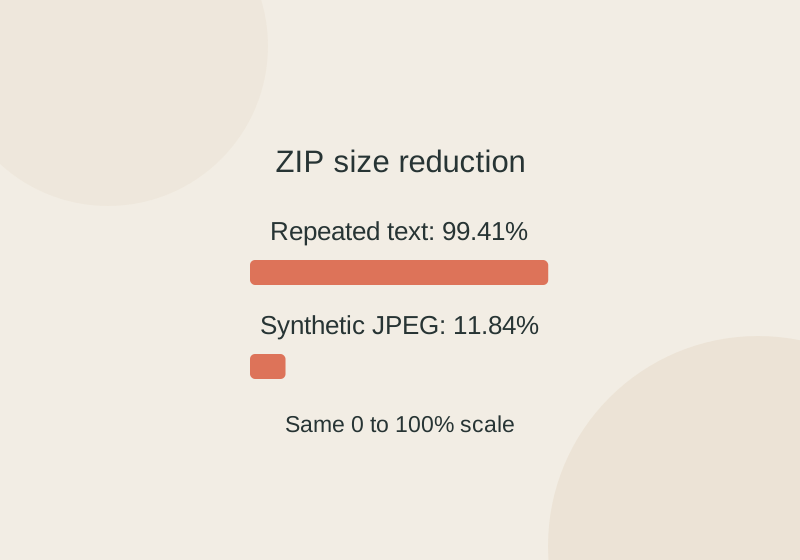
| market-list.txt, 83,200 bytes | Level 9 | 490 bytes | 99.41% smaller |
| pattern.jpg, 18,847 bytes | Store | 19,003 bytes | 0.83% larger |
| pattern.jpg, 18,847 bytes | Level 9 | 16,616 bytes | 11.84% smaller |
Store packages files without compressing them. In these examples, archive overhead, including metadata and file times, made its ZIPs 164 and 156 bytes larger. Level 9 reduced even the JPEG somewhat, but that result cannot predict the savings for another photo. The percentage compares each ZIP with its own input file.
Check your own upload size
In 7-Zip, select a small, representative set of your files in File Manager, choose Add, and set the archive format to ZIP. Choose Store if you only need one package, or try Normal or Ultra to compress it. Save the ZIP outside the input folder and keep the originals. 7-Zip’s download page provides the software; it is free, including for commercial use.
Compare the ZIP’s actual byte count with your upload limit. Extract it and check that the original files are present. ZIP compression preserves a file’s bytes after extraction; it does not resize photo pixels or re-encode video. Renaming a JPEG with a .zip extension does not create an archive. If the photo itself needs to be smaller, make a new copy using the Windows Paint resize guide. For video, see the HandBrake smaller-video guide.
Source note: The four ZIPs above were created with native Windows 7za 26.04 at ZIP levels 0 and 9. All four were extracted, and each extracted file’s SHA-256 matched its input. The test record covers only these two synthetic inputs.
KEEP GOING
More to explore.
TESTEDImage workflows
SVG vs PNG for logos: why an SVG can still look blurry
An SVG can contain a small bitmap. Inspect the source and size the PNG export for its actual destination.
TESTEDEveryday tech
Make a video smaller in HandBrake without guessing at the quality slider
Three downloadable versions of the same eight-second clip show how the RF number changes output size. Your own source still needs a preview.