SOURCE-CHECKED · EVERYDAY TECH
An unknown tracker alert on iPhone: find the item and keep its details
Use an iPhone alert to look for a tracker, revisit the alert later, and record identifying details if you find the item.
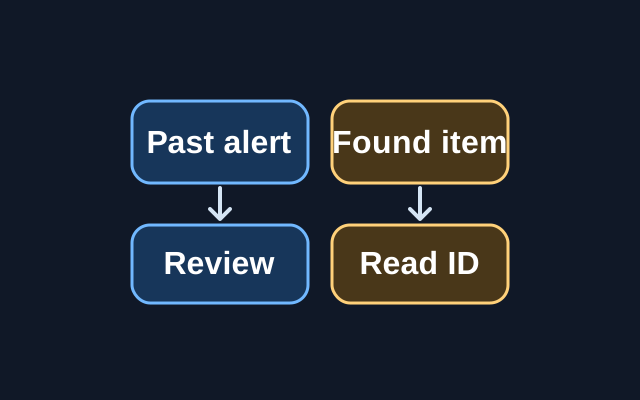
You can review an earlier alert in Find My under Items > Items Detected With You. The alert does not tell you whether the tracker is still nearby. To see its identifying details, you need to find the item and hold your iPhone near it.
When the alert appears
Tap the alert, then tap Continue. Choose Play Sound or, if available, Find Nearby.
Suppose the alert appears while you are carrying a bag, but Play Sound is unavailable when you start looking. Apple says the item may no longer be near you. If you believe it is still with you, check your jacket pockets, the bag’s outer compartment, and your vehicle. You can return to the alert later in Find My, but reading the tracker’s ID requires the item itself.
If you find the item
Hold the top of your iPhone near it and tap the notification that appears. The information page can show a serial number or device ID and limited information about the person who registered the item, such as the last four digits of a phone number or an obfuscated email address. Take a screenshot of the item and owner information for your records.
Consider your safety and privacy before changing the item. Instructions to Disable gives you steps to stop it sharing its location. Once disabled, you will no longer receive unwanted tracking notifications for that item. If you feel at risk, Apple advises contacting law enforcement. For an Apple product, law enforcement may need the item and its serial number. If you cannot find the item, go to a safe public location before contacting law enforcement.
Source: Apple’s Detect unwanted trackers guide, captured October 22, 2026 (UTC). These are documented steps. Apple lists iOS 14.5 or later for AirTag and other Find My accessory alerts, and iOS 17.5 or later for compatible unknown Bluetooth tracker alerts.
KEEP GOING
More to explore.

SOURCE-CHECKEDEveryday tech
Fix duplicate iPhone contacts without joining the wrong people
Apple’s Contacts guide describes two actions: merge reviewed cards with the same first and last name, or link cards for one person across accounts. Linked cards appear as one unified contact but remain separate source cards.
SOURCE-CHECKEDEveryday tech
Get a Find My alert when you leave a device behind
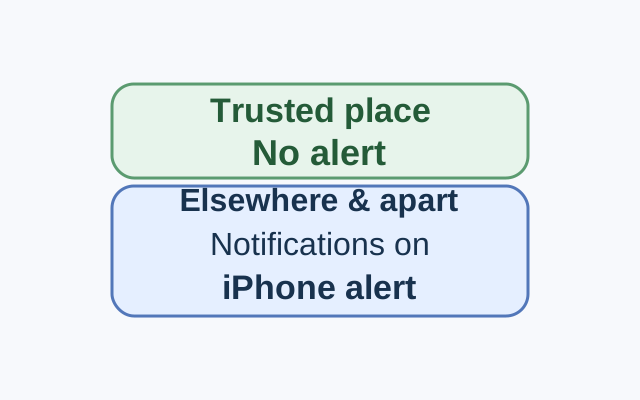
Set the alert from the device sharing your location. In a worked example, an iPhone receives the alert for a selected Mac left elsewhere, while leaving that Mac at a Trusted Location stays quiet.