SOURCE-CHECKED · BUSINESS DOCUMENTS
Dropbox Sign data residency: where signed documents are stored
Understand Dropbox Sign Premium regional storage, US processing copies, API ownership and draft handoffs before moving signed contracts.
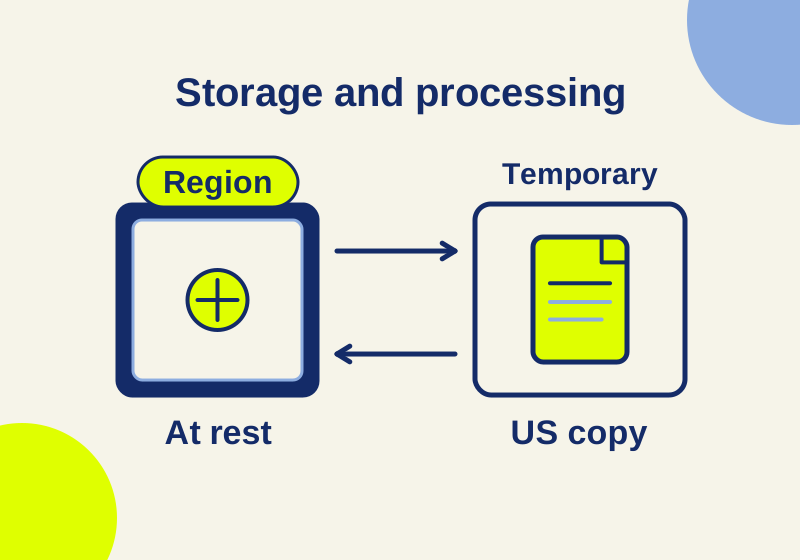
Dropbox Sign Premium can store documents at rest in a chosen region, including the EU. Editing, sending and signing still involve temporary US processing copies. If your client says contracts must never leave the EU, the documented regional storage feature does not satisfy that instruction on its own. For API requests, the account behind the integration also matters: an EU requester or signer does not automatically select EU storage.
What the region controls
Dropbox’s residency documentation lists document storage in the US, Australia, the EU, Japan, Canada and the UK. The US is the default. Alternative regions require Dropbox Sign UI Premium or API Premium.
The document lifecycle explains the boundary. A document at rest belongs in its selected storage region. During processing, Dropbox makes a temporary US copy. Its stated completion point is a signed or declined request, after which the processing copy is removed. A request awaiting someone else’s signature has not reached that completion point.
Before choosing a plan, read the actual sentence in the client requirement. “Our completed contracts must be stored in the EU” and “our contract data must remain in the EU during every operation” ask for different things. The first calls for a storage arrangement; the second also restricts processing. Ask the person who owns that requirement which wording they intend before uploading real contracts.
Regional storage is also separate from a storage integration that syncs files into a cloud service. A Dropbox folder containing a signed PDF does not establish the region of the signing request that produced it.
Which account selects a request’s region?
The documented routing rules depend on how the request was created:
| Request route | Setting or account to trace |
|---|---|
| Sent through the Dropbox Sign app | The sender’s organization or team residency setting |
| Sent directly through the API | The API configuration, including the account owning the API key or app |
| Created as an unclaimed draft | Creation route and the account that ultimately claims and sends it; location may change at that handoff |
Consider an illustrative workflow: a business in the EU uses an integration owned by a US account whose configuration retains US storage. Filling in an EU employee’s email as the requester would not change the direct API request’s storage location by itself. Signing from an EU address does not change it either. The same employee sending through the Sign app uses a different route, governed by the sender’s organization or team.
To investigate a particular API request, give the integration owner its request identifier and ask which key or app created it. Request the owning account’s identifier or organizational owner, not the secret key itself. That makes the question answerable without circulating credentials. A screenshot of an employee’s personal setting answers a different question from the one about the integration’s configuration.
Find the app setting and its effective owner
Dropbox publishes this admin route:
- Sign in with admin credentials and open the menu under your initials.
- Open Admin console, then Settings.
- Select Documents and templates.
- Find Document controls, then Data residency.
Use that route to inspect the configuration before authorizing a change. Organization admins can delegate residency control to team admins, who can override the organization default. Sub-team control requires permission from the team admin. Dropbox’s setup instructions also describe the delegation control named Your team’s at rest document location.
If different teams send contracts, an organization-level screenshot alone leaves their effective settings unresolved. Ask the relevant admin to identify the sending team and whether it uses the default or an override. Record the named region and account context together; a region label without its owner is easy to attach to the wrong workflow.
An unclaimed draft has a handoff to check
An unclaimed draft lets an end user prepare a signature request, position fields and then send or sign it. The API returns a claim_url for claiming the draft. Embedded requesting can begin under an app owner while a different user completes the preparation.
Dropbox’s residency guidance says the location may change after an unclaimed draft is claimed and sent. The account sending the completed signature request then determines storage. For this route, keep two separate questions: who created the draft, and which account sent it? Treating the draft’s creation as proof of the final request’s region misses that transition.
This is relevant when reviewing an integration advertised as “embedded signing.” Ask its developer whether the actual workflow creates an unclaimed draft or sends a request directly. The visual appearance of the signing screen does not establish the creation route.
What happens to contracts already stored there?
The residency help page does not specify a migration schedule for changing regions or separately explain the transition for old completed requests, pending requests and unclaimed drafts. It does not supply a request-level region verification endpoint. These gaps need a vendor answer; they do not establish that migration is instantaneous or that old documents remain untouched.
Describe the existing-document scope before requesting a quote or approving a change. For example, separate completed customer agreements from requests still awaiting signatures. Ask whether each category is included, how completion is reported and what evidence the admin can retain. For drafts, include the possible claim-and-send handoff.
If an existing client contract is the reason for the change, ask about that record specifically. A demonstration using a newly sent request would establish less about an older contract’s transition. Dropbox lists Premium through contact sales; no price or minimum purchase is assumed here.
Recipient copies and other data have separate scope
Dropbox’s privacy notice discusses uploaded content alongside account, contact, device and usage information. Section 8 describes storing, processing and transmitting information in the US and other locations, including copies on local devices. A regional document-storage setting should not be extended to every category of service data.
Recipients may also hold their own signed copies. Dropbox says a signer without an account should receive a copy by email. Ask your requirement owner whether downloaded files and email attachments are included. A restriction covering all copies requires attention to those destinations as well as the service’s stored document. The region selector is not a legal compliance determination.
A vendor email that resolves the missing details
Adapt this request using the workflow you actually intend to use:
Subject: Dropbox Sign Premium residency for our contract workflow
We require completed contracts to be stored in [region]. Temporary processing outside that region is [permitted / prohibited / awaiting a policy decision]. Our requests use [Sign app / direct API / unclaimed drafts].
Please identify the quoted plan and the effective organization, team or API configuration for each route. For drafts, explain the effect of the account that claims and sends them.
We also have existing [completed requests / pending requests / drafts]. Which records would a region change cover, when would it take effect and how would migration completion be confirmed?
What evidence can our admin obtain for a particular request’s effective storage region? Please distinguish regional documents at rest from temporary processing copies, other service data and recipient copies in your response.
Documentation checked October 7, 2026. This explanation is based on the linked official sources. No Premium purchase, API request, region change or independent verification of backend storage was performed.
KEEP GOING
More to explore.
SOURCE-CHECKEDBusiness documents
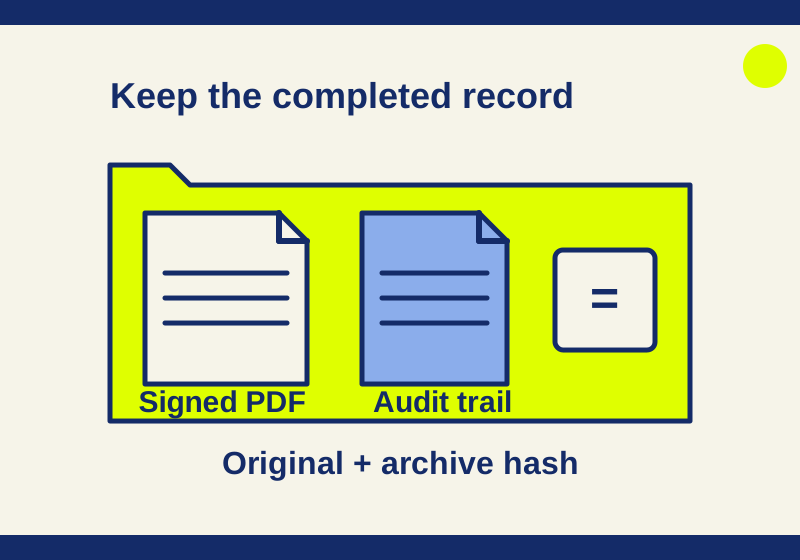
Download Dropbox Sign documents and find the audit trail
Find the completed agreement and audit record without archiving an old draft.
SOURCE-CHECKEDBusiness documents
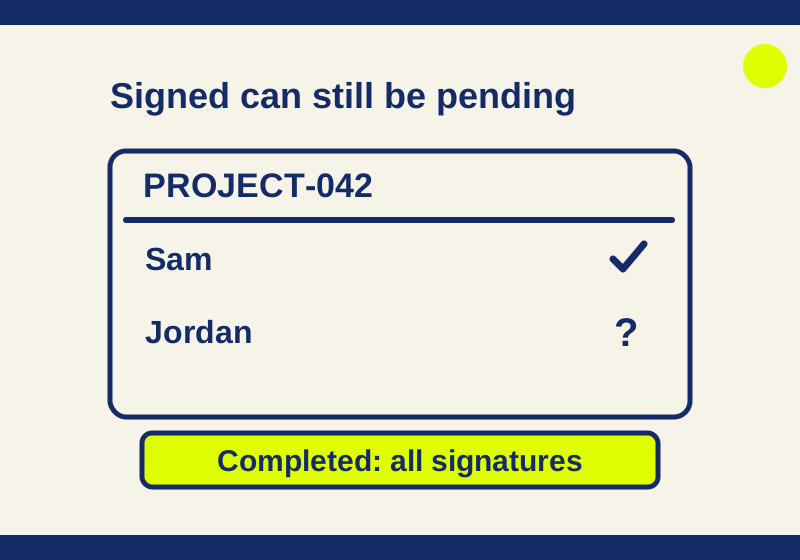
Dropbox Sign says Signed: is the whole request actually complete?
Understand Dropbox Sign Sent, Viewed, Signed and Completed states, find the exact request, and choose a reminder or correction that fits.