SOURCE-CHECKED · BUSINESS DOCUMENTS
Google Vault vs Microsoft Purview: what happens to a deleted team file?
Compare Google Vault and Microsoft Purview file retention with worked deletion timelines, exact license boundaries, hold scope, and policy precedence.
Deleting a team file can make it disappear for coworkers while a preservation rule keeps it available to an authorized reviewer. Google Vault governs supported Google Workspace data. Microsoft Purview governs retention for SharePoint and OneDrive through policies and labels. The useful comparison is what each system covers, which date starts its clock, and what happens after someone edits or deletes a covered document.
For Google Drive, Vault is usually the relevant starting point. For SharePoint or OneDrive, examine Purview’s file-retention features. Moving a library to another platform also changes the rules governing it; copying a retention duration does not reproduce its behavior.
Follow a document through its retention clock
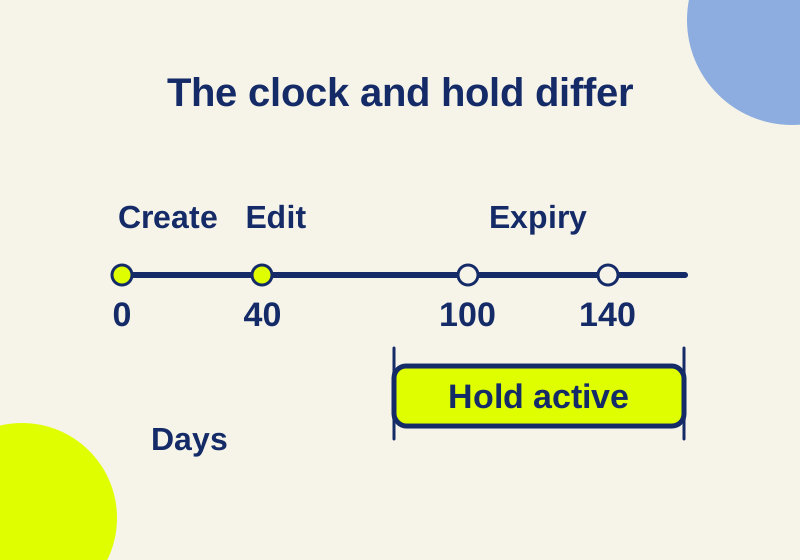
Consider project-closure.docx, created on Day 0, edited on Day 40, and deleted by its user on Day 60. Give it a 100-day retention period. These are illustrative numbers for explaining the clock, not a legal retention schedule or an observed cloud-account test.
| Clock selected | Start | Nominal end of retention |
|---|---|---|
| File creation | Day 0 | Day 100 |
| Last modification | Day 40 | Day 140 |
The edit extends the modified-date example by 40 days. The Day 60 deletion does not restart either clock. A policy described only as “keep project documents for 100 days” therefore leaves two different outcomes open.
In Drive, a rule can start from creation, modification, the date moved to trash, or a selected Drive-label date value. Purview file policies support creation or last modification; a labeled-date or business-event start belongs to retention labels. Google’s Drive rule settings, Microsoft’s retention clocks.
The filename does not establish the project’s closure date. If the approved requirement is measured from closure, identify how that event is recorded. An editable file’s last modification may be a spelling correction months after the work ended. A date field or an event-based label needs its own configuration and, in Purview, the appropriate feature entitlement.
Now add an applicable hold on Day 80 and keep it active through Day 160. In this ordinary-rule example, neither Day 100 nor Day 140 permits final purge while the hold protects the file. Microsoft’s priority-cleanup feature can override some preservation settings, so this example assumes no such cleanup policy. After a hold is released, any remaining rules still matter. Vault hold behavior, Purview precedence and exceptions.
The downloadable retention traces contain these inputs and the conflict examples below. The “nominal expiry” column is a calculation, not a prediction of when a server will finish deleting data.
What users and reviewers can still see
A deleted, held Drive file is unavailable to its ordinary user. An authorized Vault reviewer can still search, preview, and export covered content. Vault is integrated with supported services and has no separate archive that survives every change to the source account. Drive holds, how Vault retention works.
For a covered SharePoint or OneDrive file, a retention policy can preserve original content when it is edited or deleted in the hidden Preservation Hold library. A standard label that does not declare a record copies content on deletion, but not on editing. Newly added content’s first edit is another exception; versioning is needed to retain all versions. The preserved files are system-managed. Use authorized compliance tools such as eDiscovery to access them rather than manually moving or deleting them. Microsoft’s file-retention behavior.
For the project document, ask which content you need: its current text, the pre-edit version, or evidence that it existed at a particular point. A policy that preserves deletion and a standard label that permits editing can produce different evidence even with the same duration. Ordinary access to a document and authorized discovery access also have different permission requirements. A coworker’s empty search result does not establish that the service has purged the file.
Retention also differs from a promise to restore a team’s working folder exactly as it was. Define a separate recovery procedure if that is the requirement; the retention controls described here govern preservation and disposal.
Google’s shorter custom rule can control
Suppose a Drive file owner has a 365-day default rule and an applicable 90-day custom rule, both measured from creation. With no hold or trash-date rule, the custom rule controls. If two applicable owner custom rules expire at Day 90 and Day 180, the later custom expiry controls. A long default does not make every shorter custom rule harmless. Google’s default/custom precedence.
A trash-date rule adds a separate branch. Move the same file to trash on Day 60 and apply a 30-day trash rule: its nominal end is Day 90, even if another Drive rule ends later. Holds still take precedence, and restoring the file from trash removes this trash-rule applicability. Drive trash retention.
This matters during a migration. A “365 days” policy name can hide a 90-day effective rule for one document class. Preserve the scope, starting event, competing rules, and end action in the migration specification. Matching only the displayed duration leaves the most consequential parts unspecified.
Purview’s ordinary retain/delete conflict works differently: a 365-day retain requirement prevents a 90-day delete rule from permanently disposing of the same item before preservation ends. This assumes ordinary retention, without priority cleanup. Applying Vault’s default/custom precedence to that Microsoft example gives the wrong result. Purview’s retention principles.
Expiry does not always delete the live document
Vault’s finite Drive rules distinguish between purging expired items already emptied from trash and purging all expired items, including live documents. The latter can remove something a coworker still expects to keep. A newly applied rule can make old content immediately eligible for irreversible purge. Read the end action together with the scope and clock before changing it. Drive end-action settings.
In Purview, retain-only leaves an unchanged original in place when its period ends. Retain-then-delete has a disposal action. Expired preserved copies go through cleanup and the second-stage Recycle Bin before permanent deletion; Microsoft describes a 93-day Recycle Bin period and asynchronous processing. Day 100 is therefore not an exact final-erasure appointment. SharePoint and OneDrive disposal paths.
For the example document, an expiry date answers when a particular preservation requirement ends. To determine its next state, you still need the chosen end action, any remaining protection, and the service’s processing path. Do not record a calculated expiry as observed disposal.
Team ownership and departing users change coverage
Vault can scope Drive rules to organizational units or shared drives. Only the all-shared-drives or specific-shared-drives scopes can delete team-owned shared-drive files. Shared-drive rule scope.
Drive holds target accounts or organizational units and can include associated shared drives. A shared drive is not itself a direct hold target. Membership and the Include shared drives setting matter; a limited-access subfolder can exclude content from a held user who cannot access it. External files shared with your users are another coverage exclusion. Google’s Drive hold scope.
Holds do not block Drive editing. Google preserves versions of specified native file types under holds, but that statement does not promise every historical revision of an uploaded binary. A held account normally cannot be deleted until its hold is removed. Releasing a hold or removing the custodian can expose old content to the rules underneath. Vault’s hold protections and release behavior.
Deleting a former employee’s account removes associated data rather than leaving an independent Vault archive behind. Google documents properly licensed Archived User accounts or suspension as preservation approaches. Keep the required licenses active; license removal and unpaid subscriptions can defeat the protection on which you were relying. Vault licensing and former-user data.
Which subscriptions cover the file policy?
Vault is included in Workspace Business Plus, Enterprise Standard/Plus, Frontline Standard/Plus, Education editions, and domain-verified Enterprise Essentials/Plus, among the editions Google lists. For another edition, check add-on compatibility rather than assuming an add-on is available automatically. Included Vault editions.
Every covered user needs a Vault license. In a partially licensed organization, new users do not automatically receive one. Administrators can inspect the assigned set in Billing > Subscriptions > Google Vault > Assign licenses, using the Assigned license filter. A purchased subscription and a fully licensed population are different states. License assignment.
For static SharePoint or OneDrive retention policies, Microsoft’s listed rights include Microsoft 365 Business Premium, Microsoft 365 E3/E5, Office 365 E3/E5, and SharePoint Plan 2. Business Basic or Business Standard’s Teams-retention rights do not establish equivalent rights for SharePoint file policies. Adaptive policy scopes, event-start labels, record declarations, and disposition review require higher feature entitlements, including specified E5 or Purview Suite options. Microsoft’s feature-by-feature licensing.
A Business Plus team keeping documents in a Google shared drive can start with Vault’s existing coverage. A Business Premium team protecting a SharePoint library can start with a static Purview policy. Buying a premium tier becomes a separate question when the requirement includes the higher features above. Neither choice establishes that a particular retention period satisfies your organization’s obligations.
Official documentation checked October 7, 2026. The worked timelines illustrate rule logic; no paid Vault or Purview tenant trial or observed purge is claimed.
KEEP GOING
More to explore.
SOURCE-CHECKEDBusiness documents
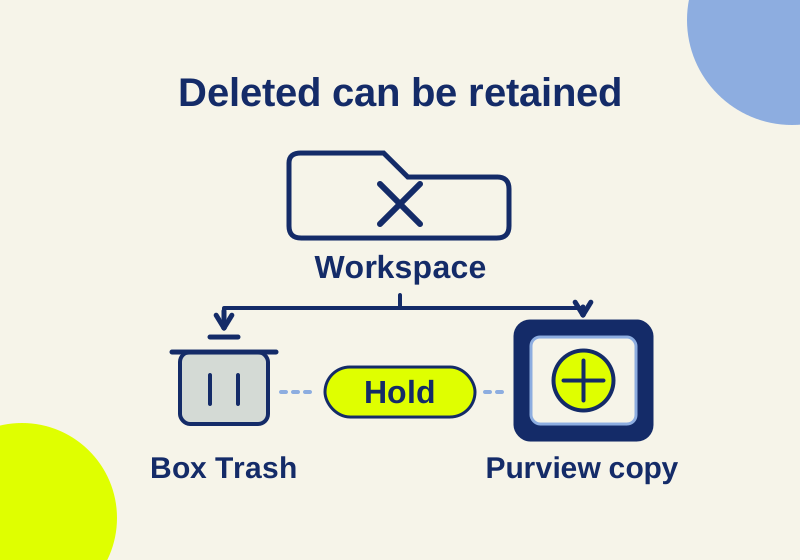
Box Governance vs Microsoft Purview: what happens when retained files are deleted
Understand Trash, Preservation Hold copies, competing expiry dates and legal holds in Box Governance and Microsoft Purview, with six worked file examples.
SOURCE-CHECKEDEveryday tech
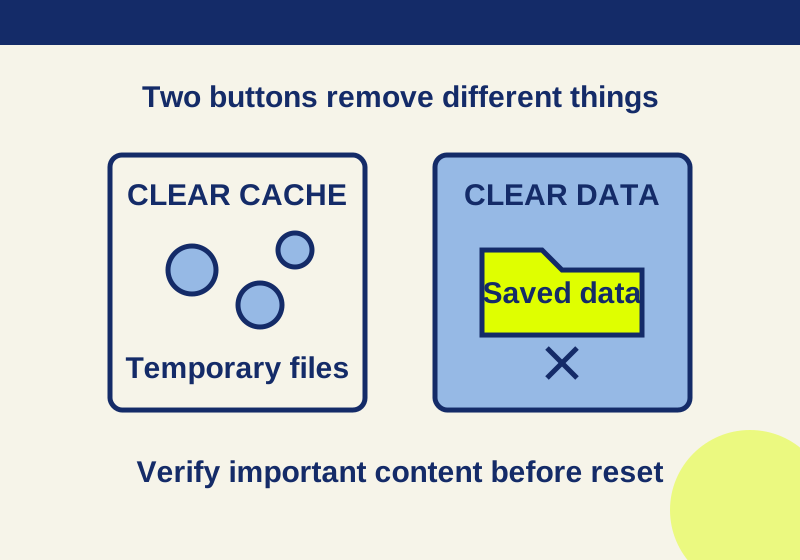
Clear cache vs. clear storage on Android: what gets deleted
Read the app storage breakdown and verify saved content before choosing a deletion button.