SOURCE-CHECKED GUIDE · SHARING WORKFLOWS
Send a finished package with Tresorit Send
Use Tresorit Send for a finished one-off package, keep its Admin Link, and plan password handling and revocation before sharing.
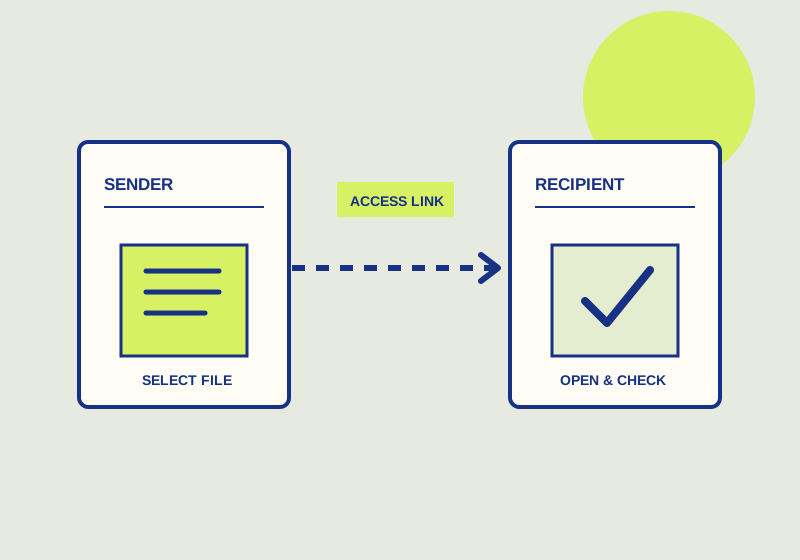
Use Tresorit Send after the package is final. Uploading produces a Send link for recipients and an Admin Link you can use to revoke it. Anyone with the Send link can view or download the files, and a password can be enabled. The linked files cannot be edited or updated after creation. Tresorit’s Send guide says links are available for seven days, so agree on a timely handoff.
Finalize the package
Review every file before uploading. Check the contents, filenames, and intended recipient together. A designer handing over approved artwork, for example, could verify that the package contains the final logo files and usage note while excluding an old draft. Tresorit lists a 5 GB upload limit, at most 100 files per upload, and up to 10 downloads per shared file. Check those limits against the package and recipient group before selecting Send. Once you create the links, do not expect to edit the linked package.
Upload the finished files and keep the two resulting links separate. Send the Send link to the recipient. Store the Admin Link where the person responsible for the handoff can find it if access must be revoked. Tresorit’s Admin Link guide says opening a new Admin Link also verifies the sender email address; each link requires its own verification. Limit circulation of that administrative link, and note the package name and recipient alongside your record of the handoff.
Decide whether to enable a password before sharing. If you use one, communicate the password separately from the Send link. For example, you could put the link in the agreed handoff email and give the password through an existing direct conversation with the recipient. Check that you have the correct contact for both communications. Sending the password and URL together removes the practical separation you intended.
Handoff check
- Are all files final and intended for this recipient?
- Have you identified which link is the Send link and which is the Admin Link?
- Who will retain the Admin Link and handle revocation?
- Will you enable a password, and how will the recipient receive it?
- Can the recipient access the package within the stated seven-day window?
- Does the message clearly identify the package and any requested reply?
Send the recipient the Send link with a concise description of the contents. Review the address or conversation before sending because anyone with that link can view or download the files. Ask the recipient to open the link and confirm the package contents before the seven-day window closes. If you discover a file error after creation, prepare a corrected package and a new handoff instead of relying on the existing links to change.
Revoke access when needed
Use the Admin Link to revoke the Send link if the package reached the wrong audience or the recipient no longer needs access. Keep enough information with the Admin Link to identify the correct handoff before acting. Revocation prevents continued use of the link, but it cannot undo a download that may already have happened. If an unintended recipient received the URL, address that delivery issue directly as well.
Plan around the seven-day availability stated by Tresorit. Ask the recipient to access and review the package within that period, and arrange another delivery if the schedule changes. The stated link window does not tell you whether anyone downloaded the files or what happens to a copy already saved by a recipient.
This guide explains a workflow using the linked primary sources. We did not independently run every step or verify the result for your files; check the current service screen and your own output.
Primary sources:
KEEP GOING
Related checks.
SOURCE-CHECKED GUIDESharing workflows
Send one WeTransfer link to a group
Prepare one package, distribute its link yourself, and check the expiry window before the group needs the files.

SOURCE-CHECKED GUIDESharing workflows
Dropbox Transfer or Box shared link for a finished deliverable
Set up a one-time deliverable handoff with the right expiry and file behavior.