SOURCE-CHECKED · WEB RESEARCH
Hypothesis private groups: who can see a comment?
Use Hypothesis private groups and Only Me drafts correctly. Distinguish membership, posting scope and document access when another reader cannot see your comment.
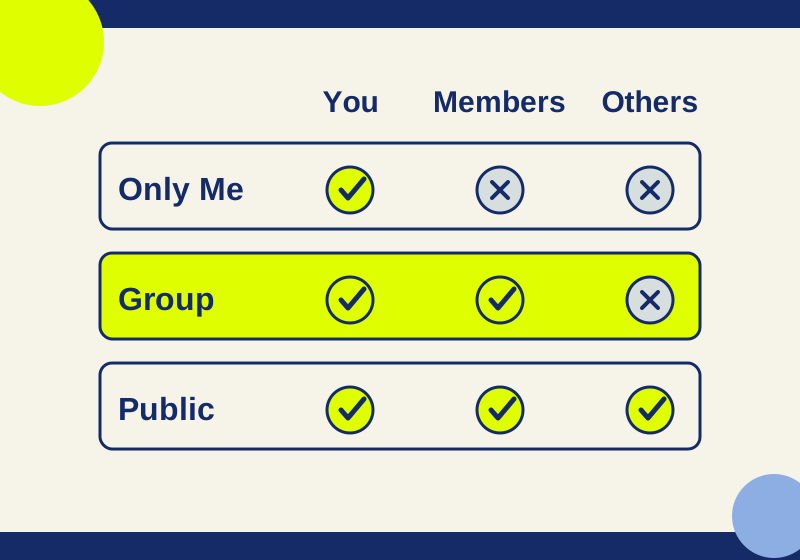
If a classmate cannot see your Hypothesis comment, check three things: who the comment was shared with, which group layer the classmate is viewing, and whether they opened the same page or PDF. A private group gives joined members a place to share annotations, but choosing a group does not make the underlying page private or make every annotation you write visible to that group. Hypothesis: annotating with groups
Check the comment’s audience
These are the expected reading permissions described in Hypothesis’s documentation, not results of a test with separate accounts:
| Comment’s audience | You, the author | Joined private-group member | Person outside the group |
|---|---|---|---|
| Public | Can read it | Can read it | Can read it |
| Your private group | Can read it | Can read it | Cannot read it |
| Only Me | Can read it | Cannot read it | Cannot read it |
Only Me stays personal even when the draft is in a group. To share an existing Only Me draft saved in that group, edit it, select the group as its audience, and submit the change. Selecting an audience alone does not save or publish the annotation; the posting or submission action matters. Hypothesis: making an annotation private; Hypothesis: saving draft annotations before sharing with your group
If you already posted a comment publicly, selecting your private group before writing a new comment does not establish that the earlier one changed. Check the earlier annotation itself. Hypothesis documents an Only Me setting for restricting an annotation, but the sources here do not establish a way to move an existing public annotation into a different group. Hypothesis: making an annotation private
Confirm that your classmate joined the group
A private-group invitation link provides a way to enter the group. Receiving the link is not the same as joining. Ask your classmate to open it while signed in to the account they will use for reading, complete the join process, and then select that group in Hypothesis. Do not diagnose membership from a familiar group name alone; use the intended invitation link or group identifier to confirm you mean the same group. Hypothesis: how to create a private group; Hypothesis: annotating with groups
A link to one private-group annotation serves a different purpose from a group invitation. Sharing the annotation link does not give someone outside the group permission to read it. A public annotation link, by contrast, is readable publicly. Hypothesis: who can see my annotations in the web app?
Select the group before posting
When writing a comment for classmates, select the intended private group and check that the posting control says Post to [group] before you press it. Then submit the comment. If the audience is Public, the comment is on the public layer; if it is Only Me, classmates cannot read it. Hypothesis: annotating with groups; Hypothesis: making an annotation private
For example, suppose you draft a note while your history class’s private group is selected but leave that note as Only Me. You can still see it, which may make the group look correct from your account. A joined classmate will not see that note until you edit that draft, choose the group audience, and submit it. That outcome follows the documented permissions; it is not a reported account test. Hypothesis: saving draft annotations before sharing with your group
Check the reader’s page and layer
If the audience and membership are right, have your classmate open the same webpage or PDF and view the intended group layer. A different URL or PDF identifier can leave two people looking at different annotation targets even when the documents appear similar. For an API-based diagnosis, compare the annotation’s recorded target URI and document metadata with the page or PDF the reader opened. Hypothesis API reference; Hypothesis: annotating with groups
Group permission and access to the underlying site are separate. A joined classmate still needs access to the page or PDF you annotated. Conversely, putting an annotation in a private group does not turn a publicly accessible webpage into a private copy. Hypothesis: annotating with groups
Also check the group type before applying private-group expectations. Hypothesis distinguishes Open, Restricted, and Private groups: Open and Restricted groups can be read publicly, while a Private group’s annotations are for signed-in members. Restricted membership affects who can write, not whether the group can be read. This distinction concerns ordinary web-app groups; it does not establish permissions for a special course or administrator integration. Hypothesis: who can see my annotations in the web app?
Verify with a harmless comment
You can check the boundary yourself without using a confidential passage:
- On a page that both participants can access, join or create the intended private group. Write a harmless comment such as “Group visibility check,” select that group, confirm Post to [group], and post it.
- In a separate session, sign in as a person who has joined that same group. Open the same page or PDF and select the group. The documented expectation is that this member can read the comment.
- In a logged-out session or an account that has not joined, open the same target and the annotation link. The documented expectation is that this reader cannot read the private-group comment. Do not treat an account that has already joined through an invitation as the nonmember check.
- If the result differs, record which reader session showed which result. Compare the comment’s actual audience, the account and membership, the selected layer, and the exact page or PDF target. A saved annotation link and target URL let both participants investigate the same object; avoid copying a confidential comment into a public support request.
Source and test scope: Hypothesis’s linked help pages and API reference support the permission rules and steps above. No private-group accounts, posts, GUI workflow, or member-versus-nonmember viewing boundary were independently tested.
KEEP GOING
More to explore.
SOURCE-CHECKEDSharing workflows
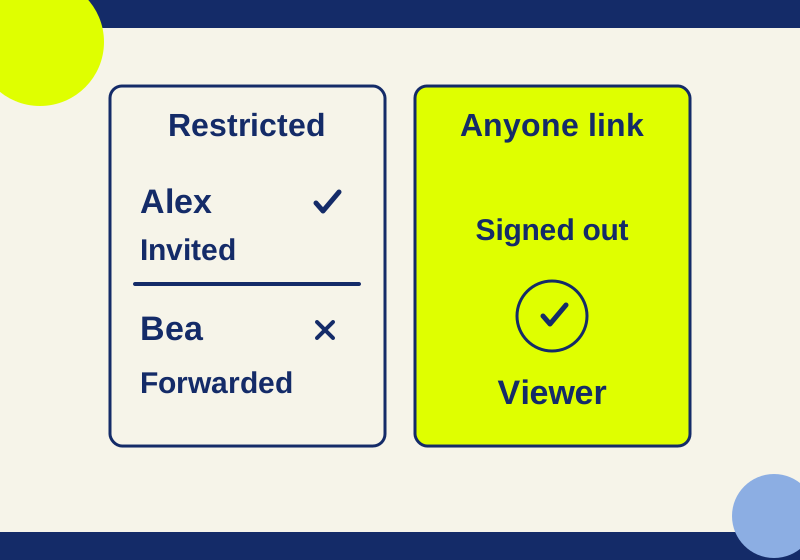
Google Drive Restricted vs Anyone with the link: who can open your file?
Restricted can still include folder and group members. Trace who can open your file before you send its link.
SOURCE-CHECKEDBusiness documents
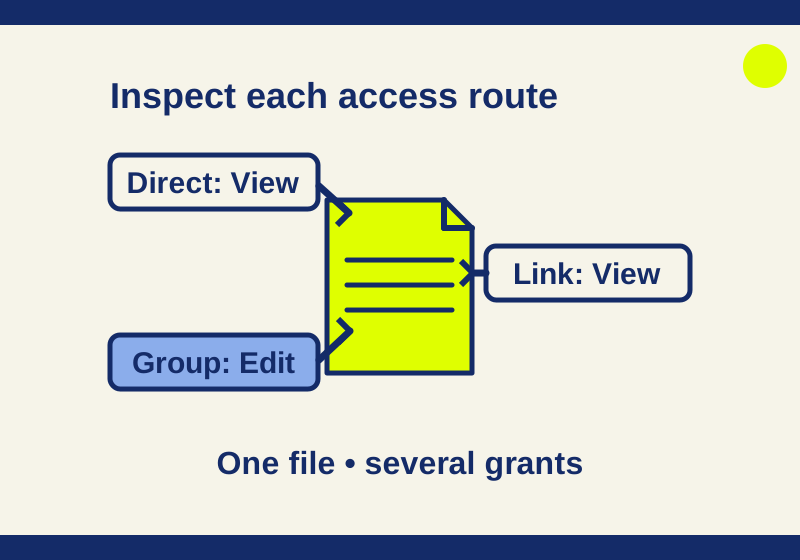
See who can access a OneDrive or SharePoint file
Find the permission route behind unexpected access, including a View link that coexists with Edit rights.