TESTED · FREE DIGITAL LIFE
Learn chess piece moves with free Lichess browser exercises
Use Lichess rook and bishop exercises to read board coordinates, spot a mistaken straight move, complete a diagonal route, and interpret tutorial stars.
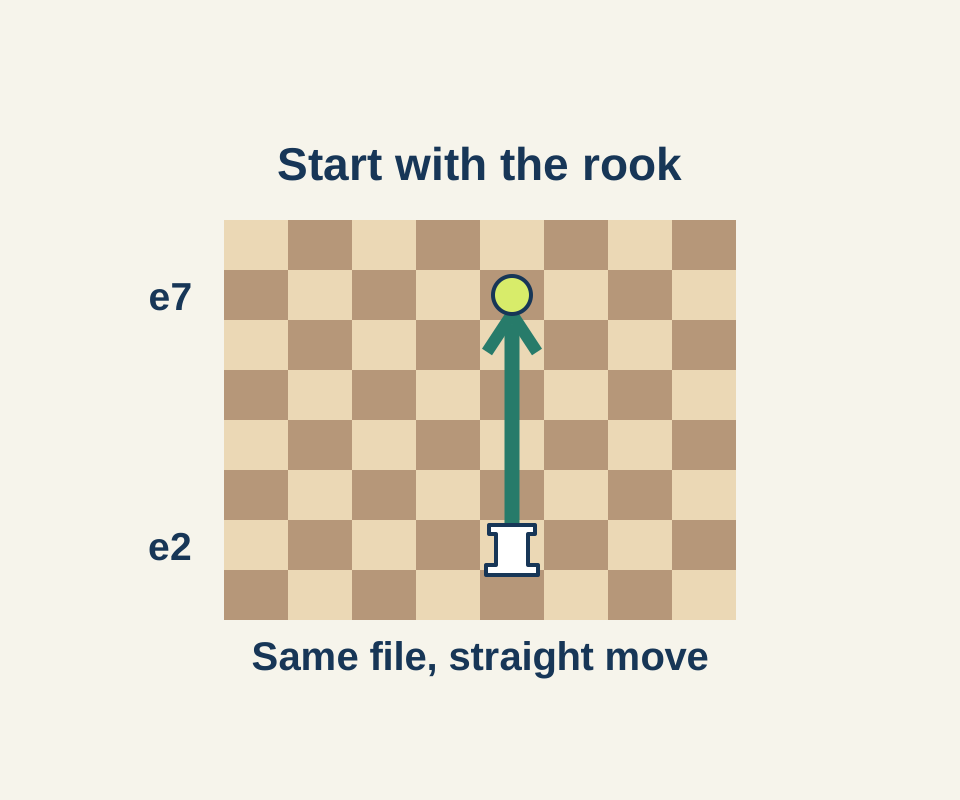
Lichess Learn has free piece-movement exercises you can try without a timed opponent. Move a piece toward the stars on its board. The stars are lesson targets, not opposing pieces. Start with one piece, use the board’s letters and numbers to check each move, then try the next.
Read a move on the board
Letters name files and numbers name ranks. In the rook exercise, a white rook moved from e2 straight up the e-file to a star on e7. The exercise accepted that move. A rook moves along a file or rank; the bishop exercise shows what changes when a piece must move diagonally. Open Lichess Learn.
Try the bishop’s first route
Choose The bishop in Learn and start its first exercise. On that board, the white bishop starts on f3, with stars on d5 and g8. Select the bishop to see green dots on its diagonal destinations. A useful wrong move to check is f3 to f5: both squares are on the f-file, so that would be a straight vertical move. In the observed exercise, clicking f5 left the bishop on f3 and both stars in place; no error popup appeared.
Instead, select the bishop and move f3 to d5, then d5 to g8. From f3 to d5, the file changes two letters left while the rank rises two numbers. From d5 to g8, both change by three. Matching changes make each move diagonal. The first star disappeared at d5, the second at g8, and the exercise advanced to the next board with a three-star indicator. Being on the same color square is not enough: f3 and f5 share a color but are not diagonal. Try the bishop exercise.
Understand what the stars mean
The next bishop board starts at b3. A move to d1 passes through a star on c2. In the observed move, the bishop landed on d1 and both the c2 and d1 stars cleared; other stars remained. The tutorial can collect a star along the route. That behavior does not give a bishop permission to jump through pieces in an ordinary game. After practicing movement, use the separate Capture lessons in the Learn catalog.
Source note: An earlier signed-out rook exercise ran in a headless English browser. The bishop results came from visible Chrome with Lichess’s Korean interface: the first bishop exercise was completed and the second was only partly tried. The browser trials were checked October 16, 2026; native apps and accounts were not tested.
KEEP GOING
More to explore.
TESTEDFree digital life
Simon Tatham's Net: play the free puzzle and learn the first moves
Try the recorded five-by-five game, then learn its deductions on an original smaller board with a worked answer.
SOURCE-CHECKEDFree digital life
Free books in Libby: find something available now
Real library catalog examples show why availability, format and edition matter before you borrow.