SOURCE-CHECKED · SHARING WORKFLOWS
Box vs SharePoint for a client document room: organize reviews and approved files
Organize received files, review copies and approved delivery in a Box or SharePoint client room, with an eight-item room manifest and a closeout workflow.
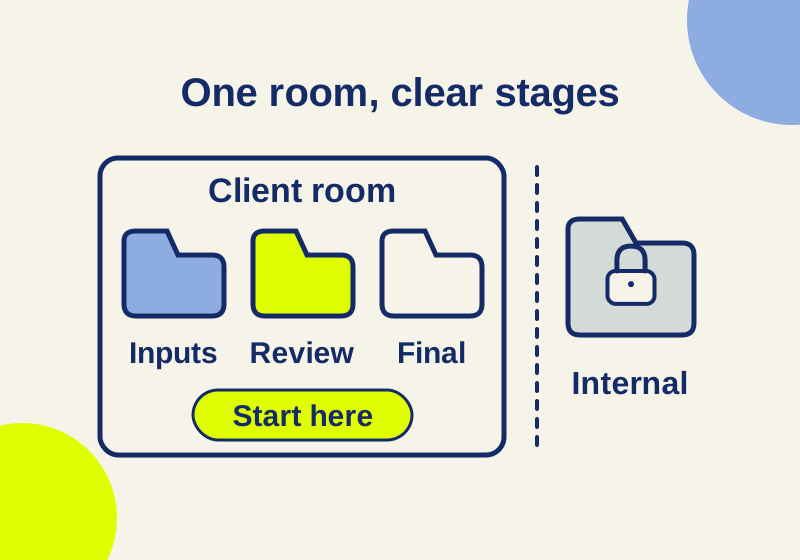
Give clients one place to find the current review file and the approved final, while keeping production work, commercial material, and access records in separate access boundaries. The same eight-row structure can guide a Box or SharePoint setup, but folder names alone do not set permissions. Set access before uploading files, then use a short start-here note to tell reviewers which version needs attention.
The eight-row client room manifest is a downloadable planning example. The paths and filenames below are illustrative.
Lay out the eight rows
Project A is an invented engagement. The four client rows form the document room. The other four belong outside the client-invited boundary.
| Row | Example file path | Purpose |
|---|---|---|
| 1 | Client-room/00-start-here.txt |
Contacts, current review target, deadline and room instructions |
| 2 | Client-room/01-received/client-source.zip |
Received client inputs |
| 3 | Client-room/02-review/review-v3.pdf |
Current copy on which comments are requested |
| 4 | Client-room/03-approved/final.pdf |
Accepted delivery copy |
| 5 | Internal-work/working-source.zip |
Editable production source, outside the client room |
| 6 | Internal-commercial/margin.xlsx |
Internal pricing, outside the client room |
| 7 | Owner-only/access-record.csv |
Invitations, links and closure evidence |
| 8 | Owner-only/retention-instruction.txt |
Record owner’s approved retention instruction |
“Owner only” is an instruction to configure access, not a permission created by the name. Keep the internal and owner rows outside the client-invited root in Box: an invitation to a parent folder carries through to its descendants. In SharePoint, use a separate site closed to external sharing for confidential material; organization and site sharing restrictions combine according to the most restrictive setting. Box item permissions; SharePoint external sharing overview
A room per client engagement also keeps navigation and access review manageable. SharePoint warns that a guest with access to a shared folder may see other people’s names in Manage Access. Do not promise clients a private guest roster on the strength of a folder layout. SharePoint external sharing overview
Put the current task in 00-start-here.txt
The start page should identify one active review version and one approved version, even when one of those stages has no file yet. Here is copy that an owner could adapt. Every name, address, date, and file in it is illustrative:
Project A document room
Review now:
02-review/review-v3.pdf. Send comments by email toproject-owner@example.netby October 14, 2026. Include the page number and a short description of each requested change.Approved reference:
03-approved/final.pdf. Use this copy for the accepted version. If this folder is empty, no final copy has been posted.Client inputs: Place agreed reference material in
01-received/, or email it to the project owner if you do not have upload access.Version questions: Contact
project-owner@example.netbefore commenting on an older file.
That text gives a reviewer a file, an action, a channel, and a deadline. After a revision is accepted, update the two version lines together. A title such as “final” on its own cannot tell a client whether a later review file superseded it.
The room is a publication surface for reference copies. An illustrative production sequence is to keep editable source material in Internal-work/, place a review copy in 02-review/, and place the accepted copy in 03-approved/. The approved copy should have its own clear identity; merely renaming the top folder changes navigation, not access.
Set access for the review
For a Box room, invite clients only to the client-facing root after checking its descendants. If the team needs to control further invitations, Box documents a folder setting that limits inviting collaborators to owners and co-owners. Use the explicit email route in the start note when feedback is being collected outside the room. Box folder settings
For a SharePoint room, use Visitors for site reading and evaluate Members for editing. A Microsoft 365 group has no view-only membership role; a group-connected site can instead use direct Visitor access for readers. Keep room administration with the owner. A Specific people link works for its specified recipients. An Existing access link grants no new permission, so sending one to an uninvited person does not itself grant access. On a group-connected site, add a guest to the group only when that guest should receive site access. SharePoint sharing permissions; SharePoint external sharing overview
A default link type can be set to Specific people or People with existing access. Treat that setting as the starting choice for new links, then inspect existing invitations and links separately. SharePoint also states that access through an Anyone link cannot be audited to a particular person. If the review depends on knowing which named recipients had access, use recipient-specific access. SharePoint default sharing link; SharePoint sharing permissions
If the review instructions expect desktop Office editing, confirm that separately with the client: basic guest access to Office on the web does not provide a desktop Office license. SharePoint external sharing overview
Publish one review version at a time
Before launch, fill the access record with the client-facing boundary, recipient, required action, granting route and review end date. For the sample room, the first instruction is “read review-v3.pdf and email page-numbered comments by October 14, 2026.” It does not require uploading replacement files. Do not grant edit access merely because the meeting is called a review.
Prepare the start note and current PDF together. Open the owner’s copy of the note and follow its path to confirm it identifies the intended revision; that content check does not demonstrate guest permission. An authorized recipient check is a separate step in a real room setup. If the client needs to submit a source archive, settle the upload route explicitly rather than assuming their read access includes it.
When v3 is accepted, put the agreed deliverable at the approved path, update the note to identify it, and close the obsolete review route. Keep the received ZIP distinct from the published PDF: the manifest calls the ZIP received originals and the PDF a review copy. That prevents a later handoff from treating every file in the room as approved work.
Handle changes before they spread
Suppose an illustrative review-v3.pdf includes a budget page intended only for the project team. Correct the publication copy before putting it in 02-review/, and keep the budget material under Internal-commercial/. Moving it there after clients have been invited is not a substitute for checking what was already shared.
If the client changes reviewers, update the start note’s contact instructions and review named access at the boundary that granted it. In Box, a collaborator can be removed through Sharing, the person’s name, Permissions, then Remove. If the invitation came from the parent, manage it at that parent. Expiring a Box folder’s shared link affects that chosen folder link; it does not remove collaborators or expire file and subfolder links. Box managing collaborators; Box folder settings
At archive time, stop inviting reviewers, inspect named collaborators or site membership, and review Specific people links and other routes that may still grant access. Record the owner’s retention decision in Owner-only/retention-instruction.txt; the folder name does not schedule deletion. Leave 03-approved/ as the clearly labeled reference location for as long as the owner’s decision calls for it.
Official vendor pages were checked October 7, 2026. The eight-file manifest and Project A workflow are authored examples. No Box or SharePoint tenant was tested.
KEEP GOING
More to explore.
SOURCE-CHECKEDSharing workflows
Box vs SharePoint sharing reports: find the access a CSV misses
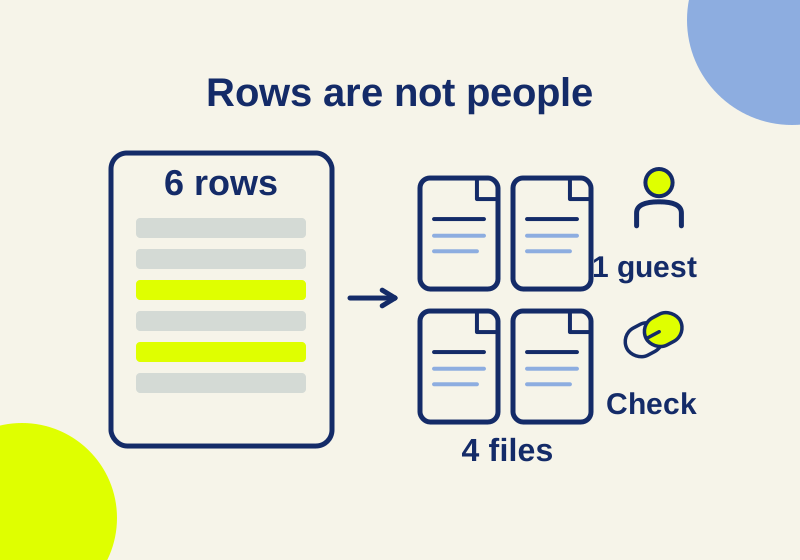
Read Box and SharePoint sharing CSVs without mistaking rows for people or missing links for no access. Download and reproduce a six-row worked audit.
SOURCE-CHECKEDSharing workflows
OneDrive vs SharePoint for client sharing: keep guest access in the right place
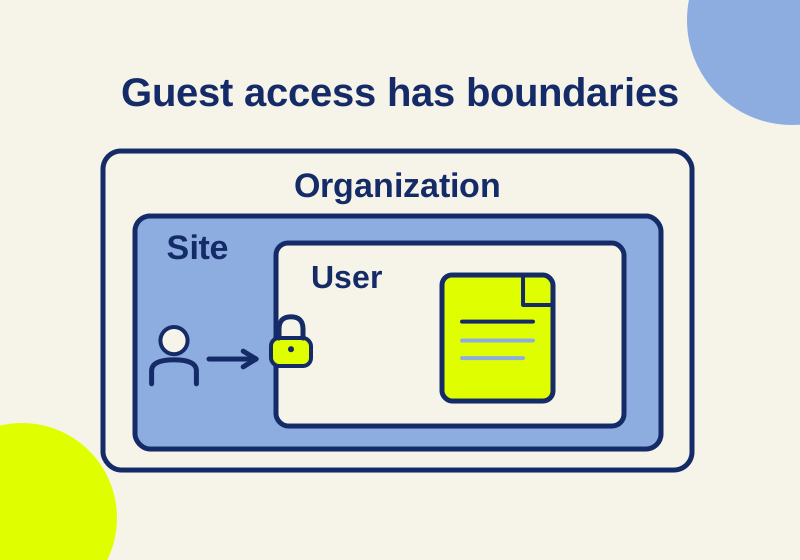
A client’s failed link can come from its audience, the site, the organization, or a narrower OneDrive setting.